Use HQ Units of Measure to set up and maintain standard unit codes. These codes keep quantities consistent across Vista when purchasing materials, charging them to jobs, and running reports.
1-Go to Headquarters>Programs>HQ Units of Measure
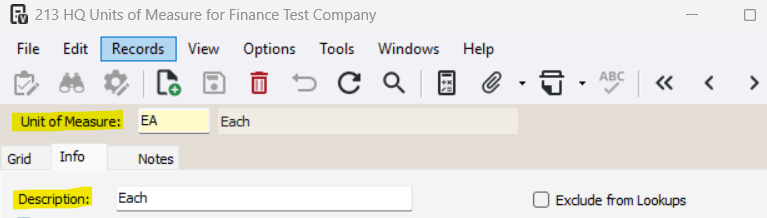
2-Enter a unique Unit of Measure Code and a Description
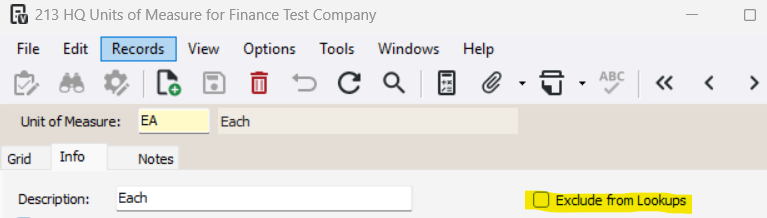
3-Check the Exclude from Lookups Checkbox to exclude the unit from F4 lookups in all companies
Was this article helpful?
That’s Great!
Thank you for your feedback
Sorry! We couldn't be helpful
Thank you for your feedback
Feedback sent
We appreciate your effort and will try to fix the article