Use HQ Reason Codes to create standard explanations for why a transaction was entered, changed, or deleted, or why a credit was issued. This helps users document the reason consistently in AP Unapproved Invoice Entry, AR Invoice Entry, and MS Ticket Entry.
1-Go to Headquarters>Programs>HQ Reason Codes
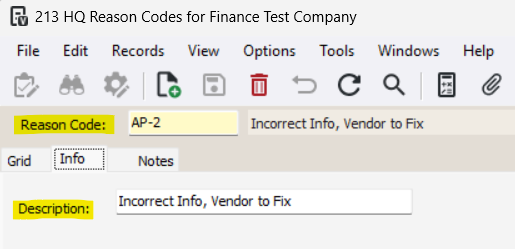
2-Enter a unique Reason Code and a Description
Was this article helpful?
That’s Great!
Thank you for your feedback
Sorry! We couldn't be helpful
Thank you for your feedback
Feedback sent
We appreciate your effort and will try to fix the article