Use HQ Hold Codes to create codes that identify why an AP payment is being held, such as retainage or an invoice dispute. When a code is applied, Vista holds the affected payment until the hold is released. Hold codes can be applied in AP, on purchase orders, invoices, vendors, and on subcontracts.
1-Go to Headquarters>Programs>HQ Hold Codes
2-Enter a unique Hold Code and a Description
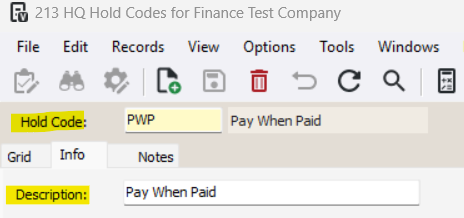
***See [AP] Putting AP Invoices on Hold for more detail on apply hold codes
Was this article helpful?
That’s Great!
Thank you for your feedback
Sorry! We couldn't be helpful
Thank you for your feedback
Feedback sent
We appreciate your effort and will try to fix the article