The AR Finance Charge program calculates and applies interest to overdue customer invoices. It is used to assess late payment charges and encourage timely payments.
1-Go to Accounts Receivable>Programs>AR Finance Charge
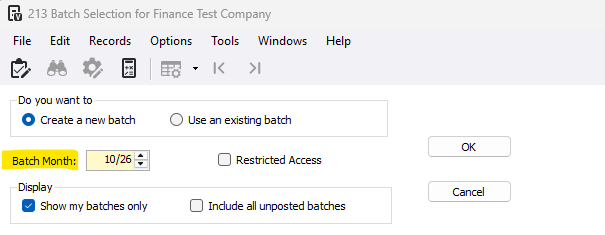
2-Choose the batch month in which the finance charges will be posted in
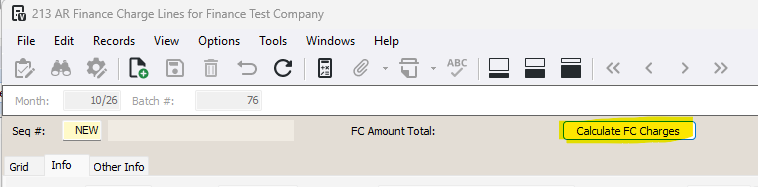
3-Press the Calculate FC Charges button
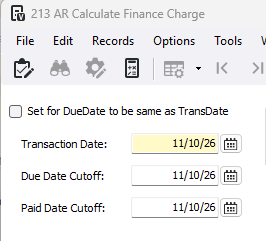
4-Enter the date filters
- Set for DueDate to be same as TransDate: Select to have the due date for all finance charges set to the transaction date
- Transaction Date: The date to use as the transaction date for each finance charge
- Due Date Cutoff: Unpaid invoices with a due date less than or equal to the date specified here will be included in finance/service charge calculations. Unpaid invoices with a due date greater than this date will not be subject to finance/service charges and the system will exclude it from calculations. Also applies to invoices for 'on account' customers.
- Paid Date Cutoff: Enter the cutoff date for paid invoices. Payments must have been received and posted by this date to avoid charges.
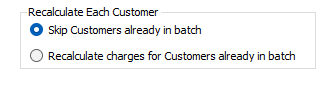
5- Select Recalculate Each Customer settings
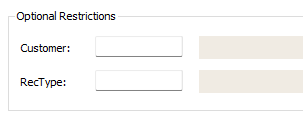
6-**Optional** Enter a Customer and RecType for specific customer finance charge calculation
7-Press OK

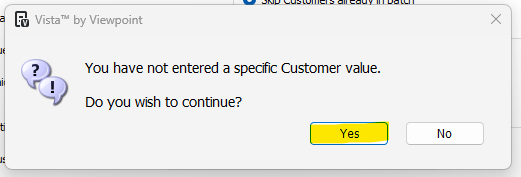
8-**If you did not enter a customer you will see this popup,
- Press Yes to calculate for all eligible customer invoices
- Press No to return to form
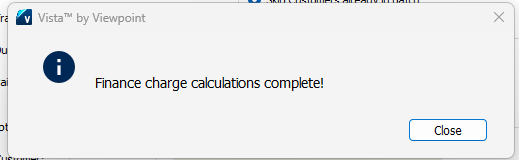
9-Press Close
10-Review the batch. Make changes if needed. Press the red trash can icon to delete any unneeded lines.
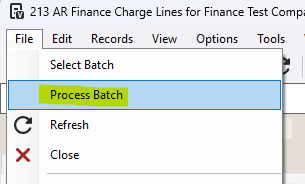
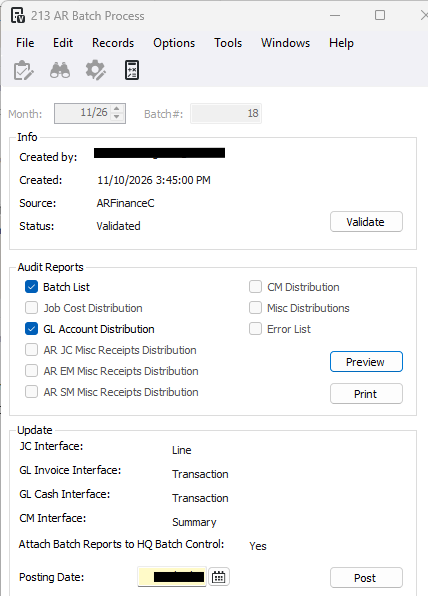
11-To post, go to File>Process Batch
12-Press Validate and Post
Troubleshoot errors:
Was this article helpful?
That’s Great!
Thank you for your feedback
Sorry! We couldn't be helpful
Thank you for your feedback
Feedback sent
We appreciate your effort and will try to fix the article