HQ Escalation Index is where you set up monthly material price indexes by state and define when a price change qualifies for an adjustment.
1-Go to Headquarters>Programs>HQ Escalation Index
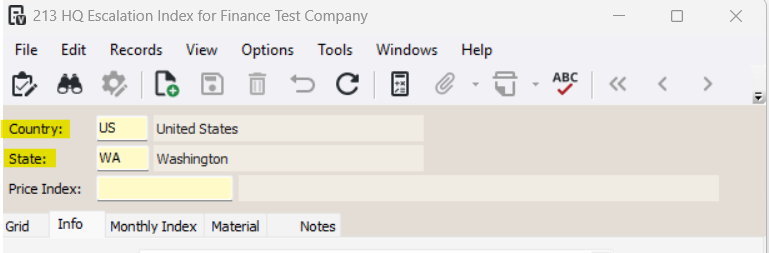
2-Enter the Country and State to which this pricing index applies
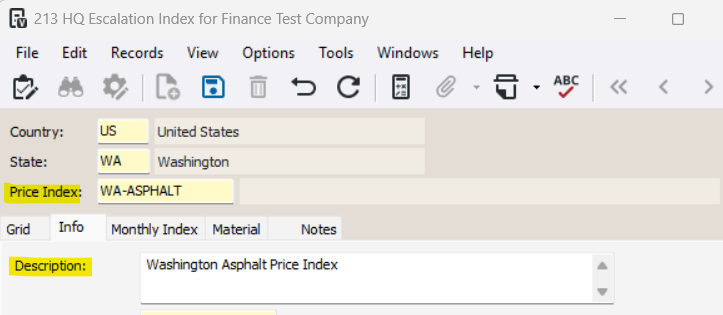
3-Enter a unique Price Index code (20 characters) and a description
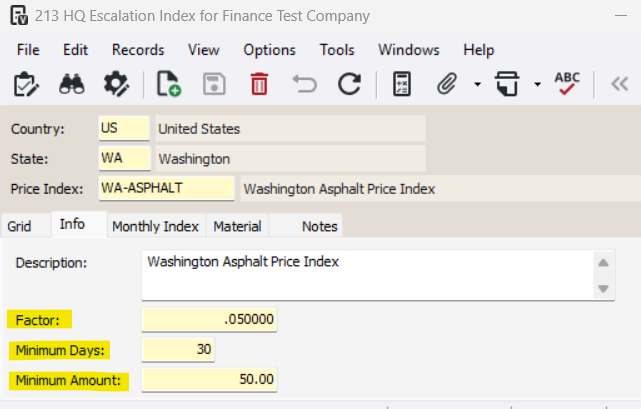
4-Enter in the Factor, Minimum Days, and Minimum Amount (You can override each on the Monthly Index tab)
Factor: This is the amount by which pricing must increase/decrease before an adjustment will be applied.
Minimum Days: Minimum number of days from the contract start date (jobs) or bid index date (customer jobs) before price escalation will be applied.
Minimum Amount: Minimum amount that the price escalation adjustment must meet to be applied. This value will be
used in conjunction with the factor.
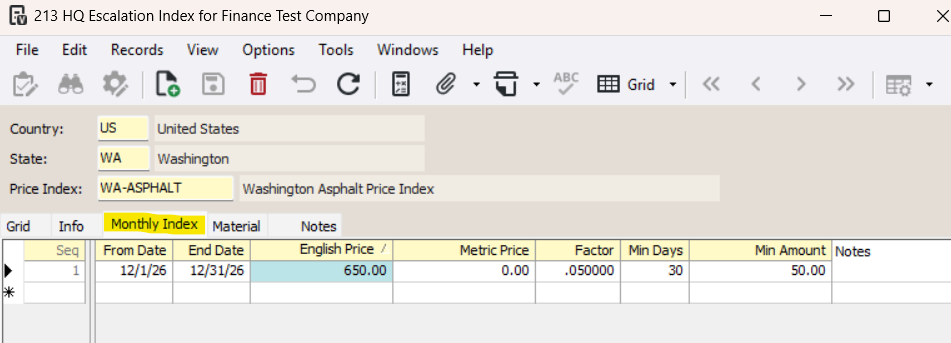
5-Go to the Monthly Index tab, to record the published index price for each month. Vista uses those entries to compare the price in effect at bid time with the price in effect when the material was sold.
From and End Date: First and last day for this price escalation adjustment
English Price: Price escalation adjustment (English dollars)
Metric Price: Price escalation adjustment (Metric dollars)
Factor, Min Days, and Min Amount: Defaults from the info tab, enter overrides if applicable
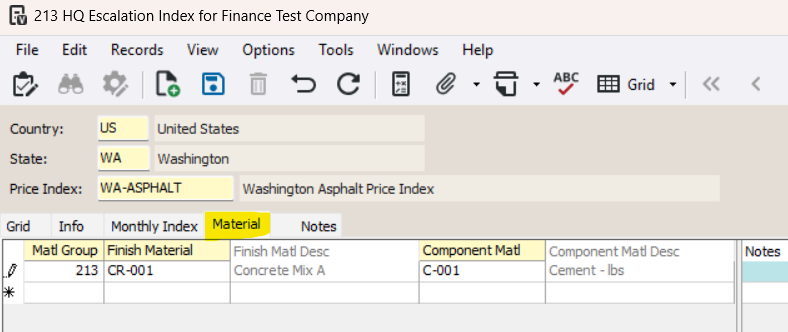
6-Go to the Material tab, to define which finished material and which component in its bill of materials the price index applies to.
Matl Group: Enter the material group (press F4 to select)
Finish Material: Enter the finished good material that represents the mix design formula. Material must be set up as a finished good in IN Bill of Materials or IN Bill of Materials Override.
Component Matl: Enter the component material to which the price escalation adjustment applies. Material must be set up as a component for the finished good material in IN Bill of Materials or IN Bill of Materials Override.
Was this article helpful?
That’s Great!
Thank you for your feedback
Sorry! We couldn't be helpful
Thank you for your feedback
Feedback sent
We appreciate your effort and will try to fix the article