First check: Go to General Ledger>Programs>GL Account Parts
Go to the Instances Tab and make sure all GL accounts have a major and minor category assigned
***If cost is put to a GL account that is not assigned categories, it will not show up on financial reports
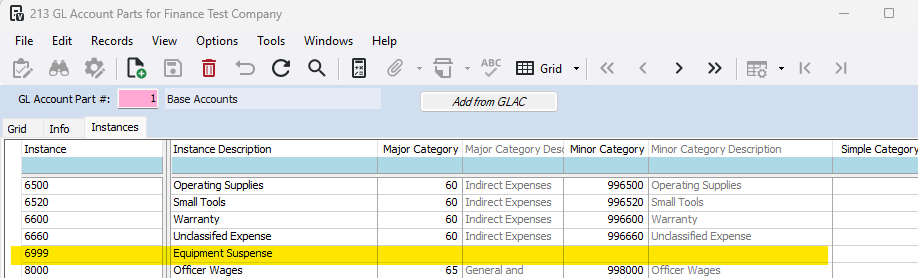
View GL Account Parts Article for more detail: [GL] GL Account Parts and [GL] GL Report Categories
Second Check: Verify that there was not an unbalanced journal entry posted
Go to General Ledger>Programs>GL Company Parameters
Check that the 'Allow Unbalanced Entries' is not checked
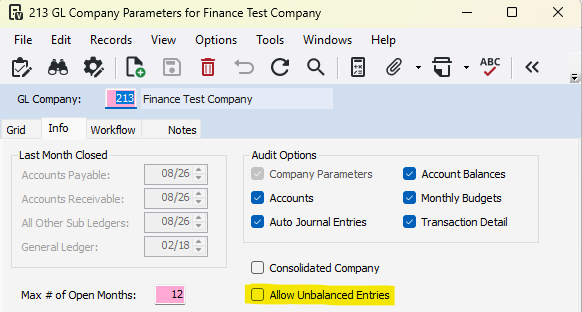
To view all journal entries, go to General Ledger>Reports>GL Journal Transactions - Landscape
Review that all journal entries are balanced
Third Check: If it is the beginning of a new year, you may have to run GL Beginning Balance Update
Go to General Ledger>Programs>GL Beginning Balance Update
View the beginning balance update article for more details: [GL] GL Beginning Balance Update
Was this article helpful?
That’s Great!
Thank you for your feedback
Sorry! We couldn't be helpful
Thank you for your feedback
Feedback sent
We appreciate your effort and will try to fix the article