You can remove invoice lines from posted, paid, or closed-month invoices without voiding.
You cannot add new lines to a processed invoice; to do so, you must void and reissue the invoice.
Steps to Remove a Line:
Go to Service Management > Programs.
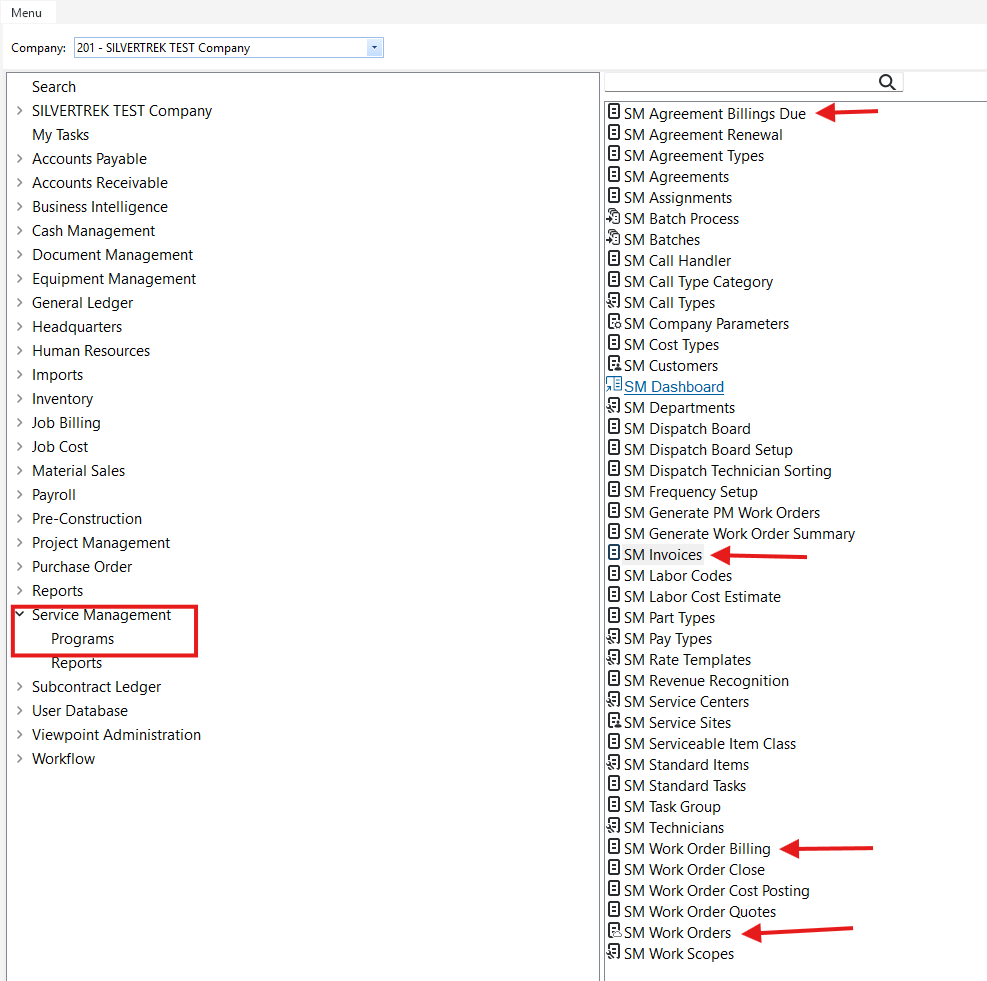
Double-click to start SM Invoice Review via:
SM Invoices
SM Work Order Billing
SM Agreement Billings Due
SM Work Orders – Invoices tab
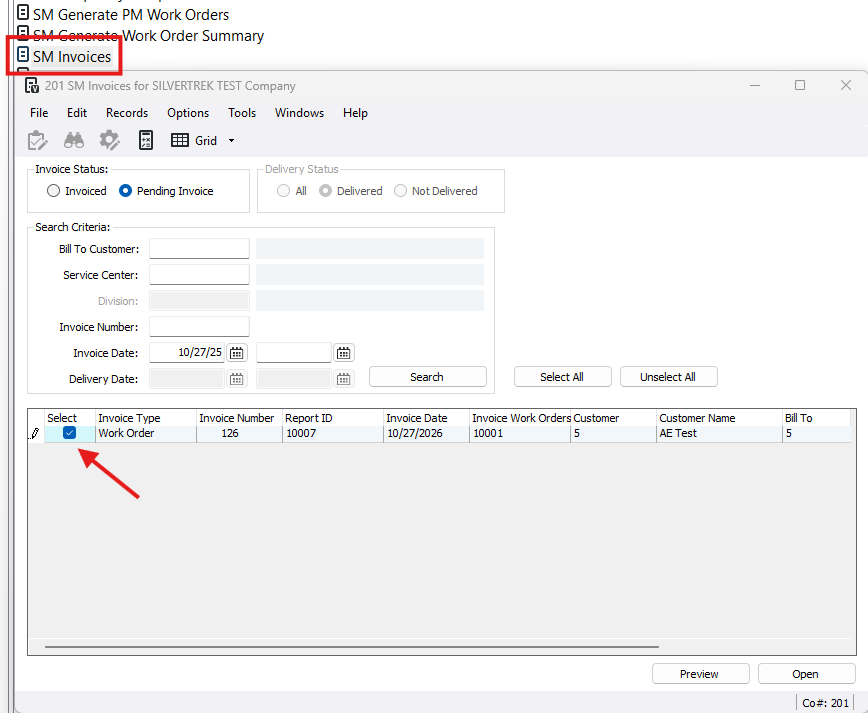
Select the line and click Open.
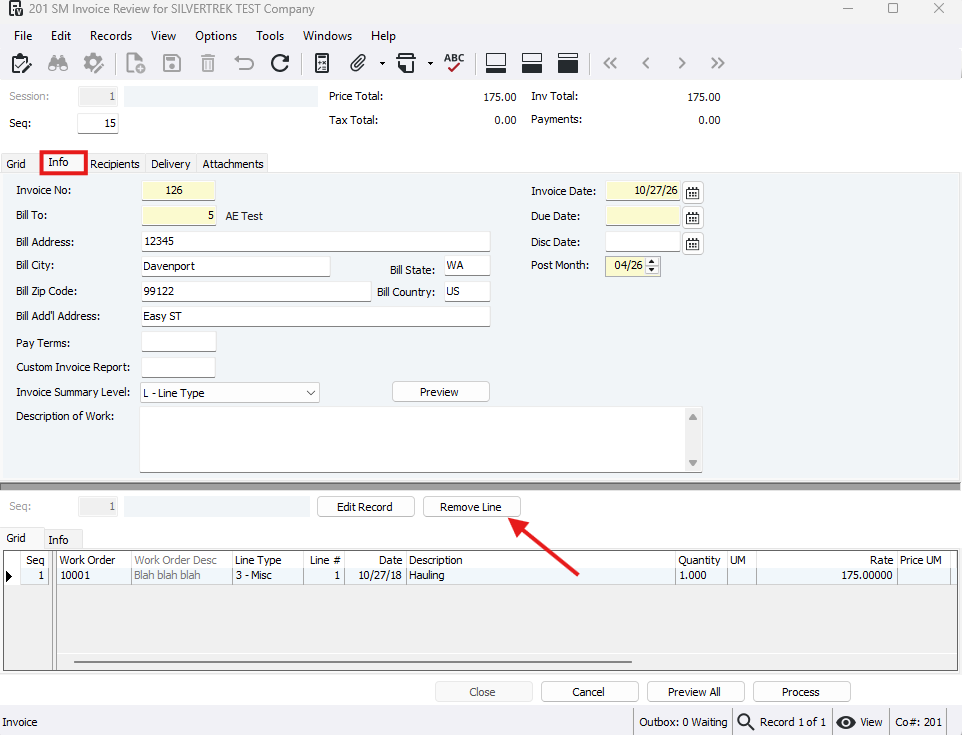
In the SM Invoice Review window go to the Info tab > Remove Line.
Important Notes:
Deleting a line cannot be undone and triggers no warning.
After removing a line, you must process the invoice, void it, and reissue.
If you try to close the form without processing removed lines, you will see an error message.
Was this article helpful?
That’s Great!
Thank you for your feedback
Sorry! We couldn't be helpful
Thank you for your feedback
Feedback sent
We appreciate your effort and will try to fix the article