JB Billing pulls in tax codes automatically when they are set on the JC Contract and/or an item on the contract.
See article on how to remove tax codes from a contract: [JB] Setting Up Tax Code to Populate on a JB Progress Bill or AR Invoice
1-Go to Job Billing>Programs>JB Progress Billing
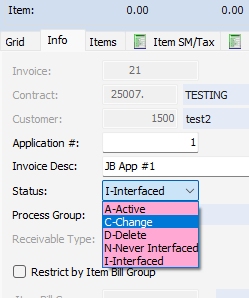
2-On the Info tab, change the status to C-Change
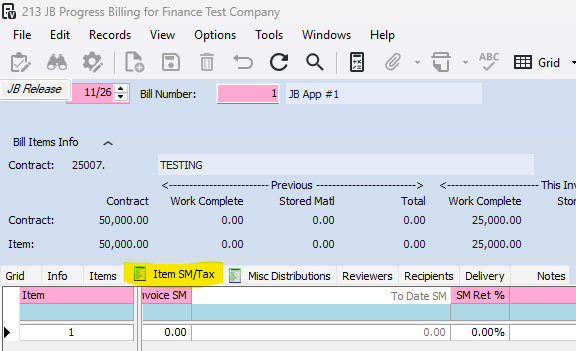
3-Go to the Item SM/Tax tab
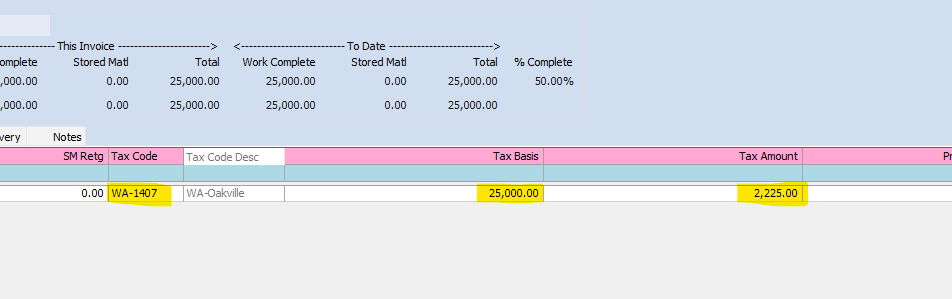
4-Scroll over to the tax fields and clear out the tax code, tax basis, and the tax amount
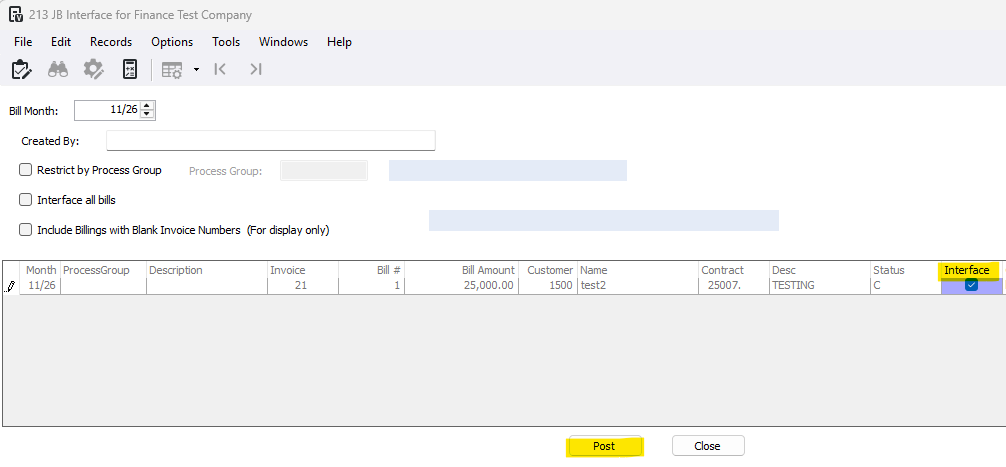
5-Go to Job Billing>Programs>JB Interface
6-Select the bill and post the interface
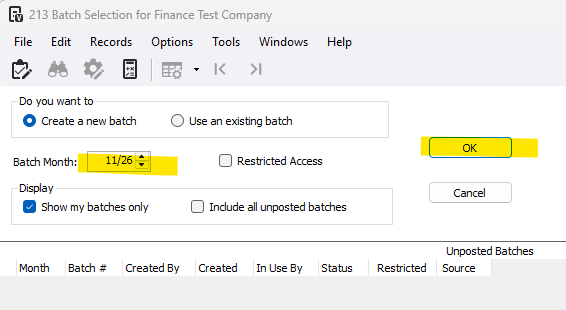
7-Select your batch month and press OK
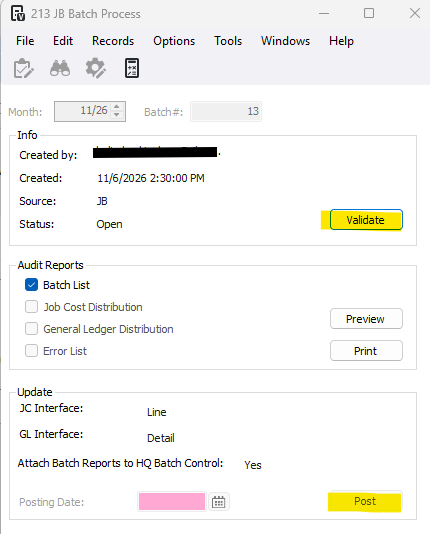
8-Press Validate and Post
Was this article helpful?
That’s Great!
Thank you for your feedback
Sorry! We couldn't be helpful
Thank you for your feedback
Feedback sent
We appreciate your effort and will try to fix the article