SOP: Create a New User in Vista (VA User Profile)
Objective
This SOP explains how to create a new user record in Vista using VA User Profile. It ensures the user is set up with the correct username, full name, email, password, and SSO settings so the account can be activated properly.
Key Steps
1. Open VA User Profile 0:00
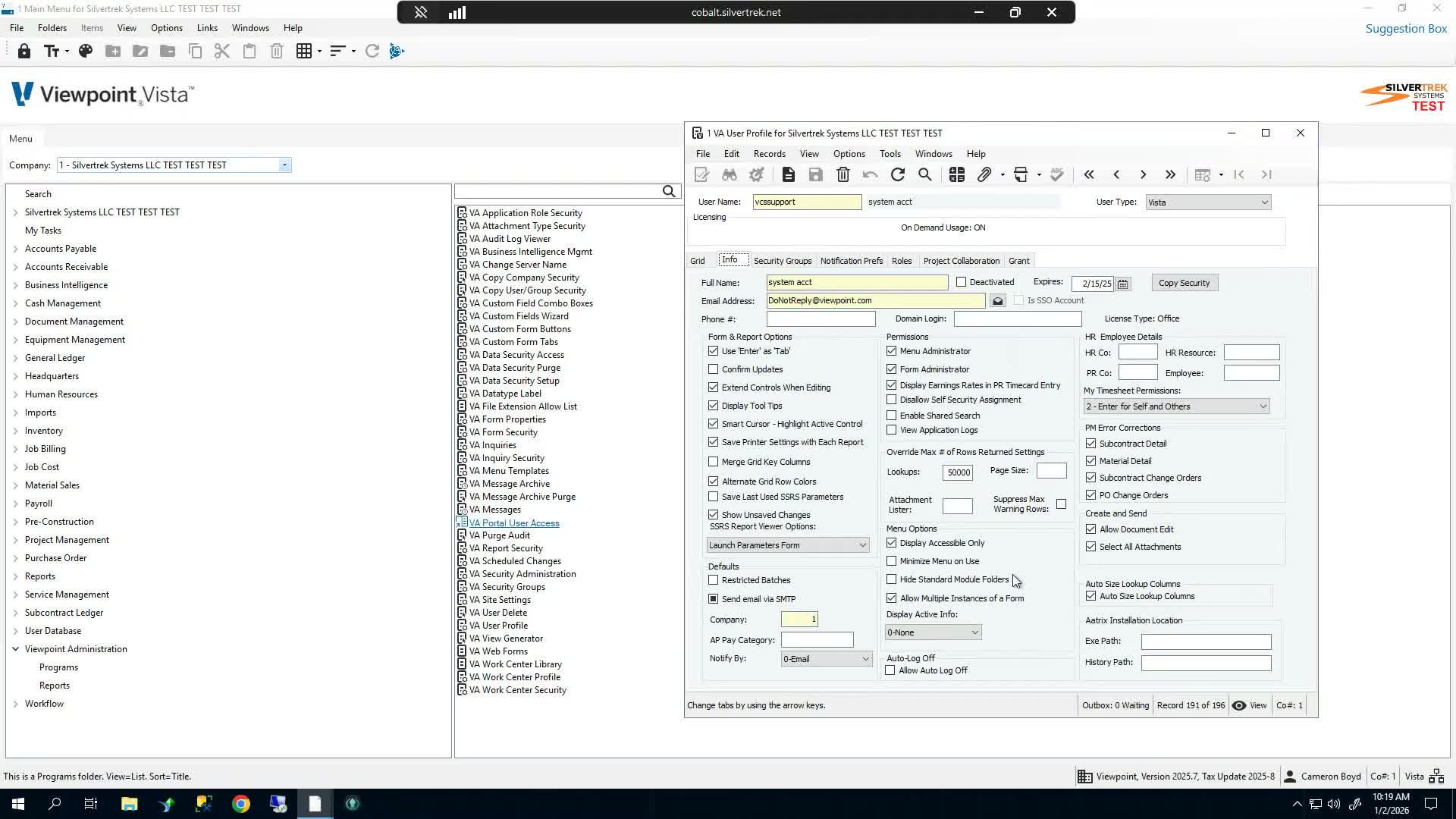
In Vista, navigate to Viewpoint Administration Programs.
Open VA User Profile to begin creating the new user.
2. Add a New User Record 0:12
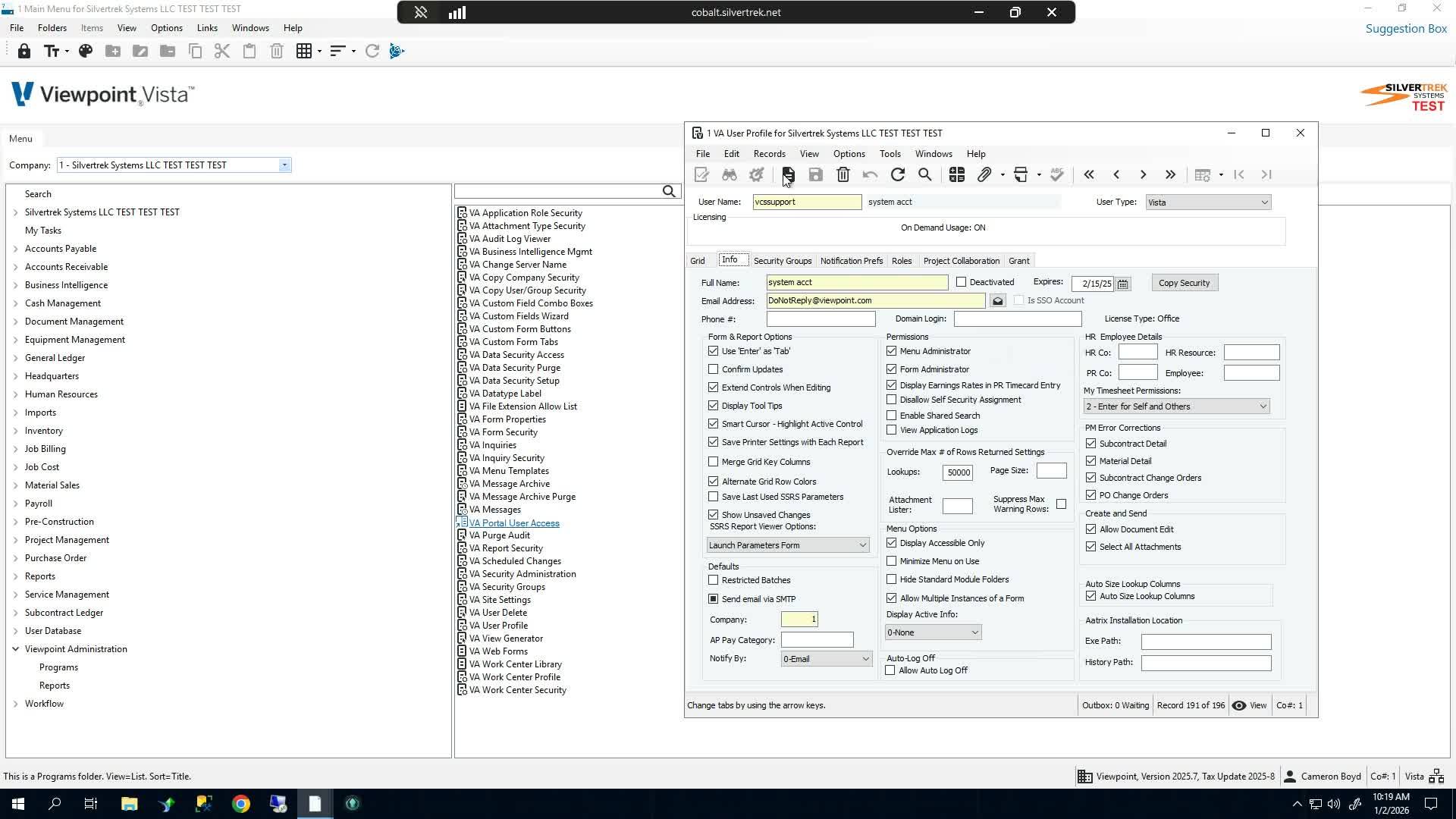
In the VA User Profile window, select Add New Record.
Enter the new user's username.
Use the user's email address as the username.
3. Enter User Details 0:21
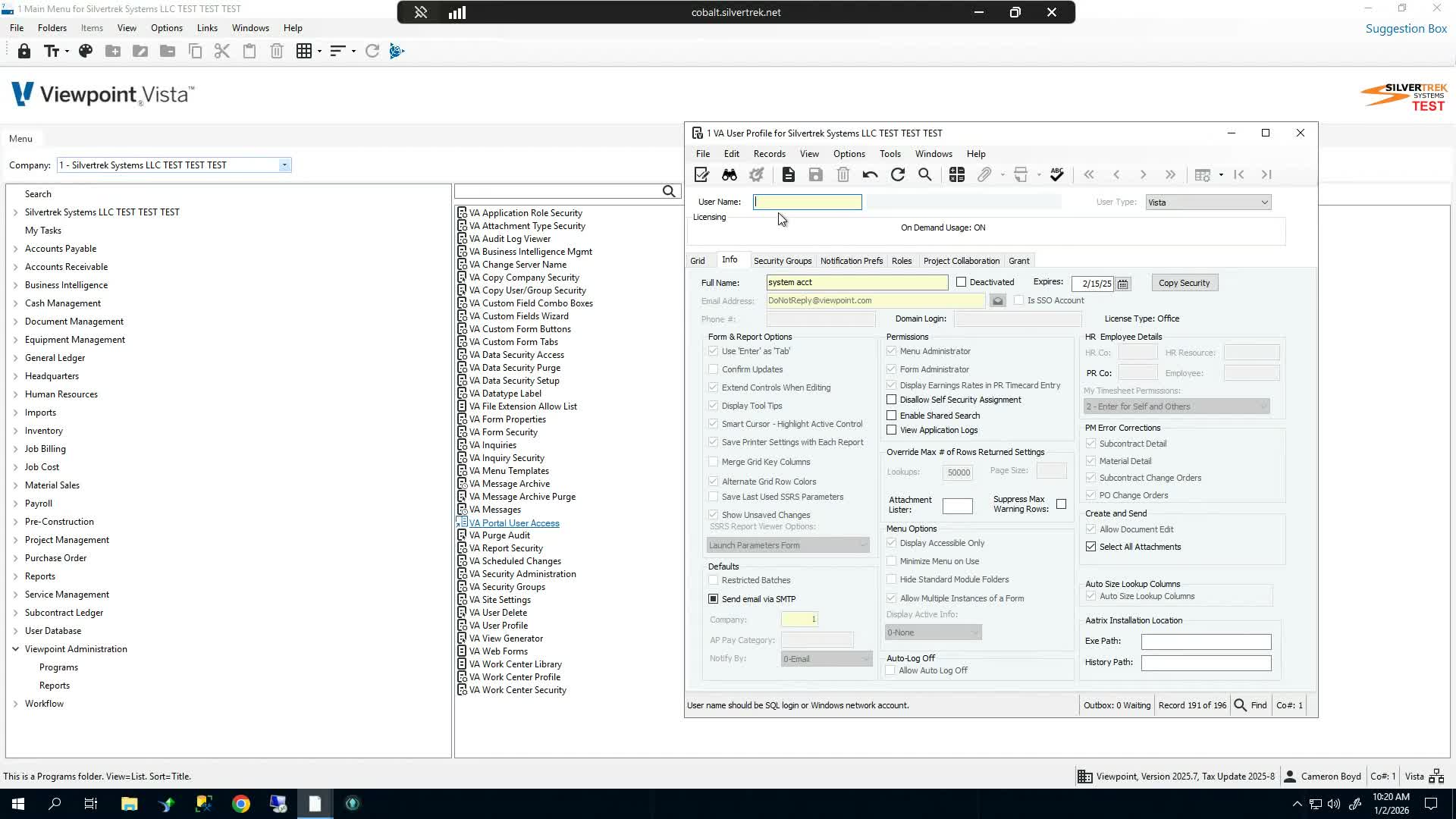
Enter the user's full name in the Full Name field.
Confirm the username is formatted as the user's email address.
Example:
testuser@silvertrek.net.
4. Set Email and Password 0:31
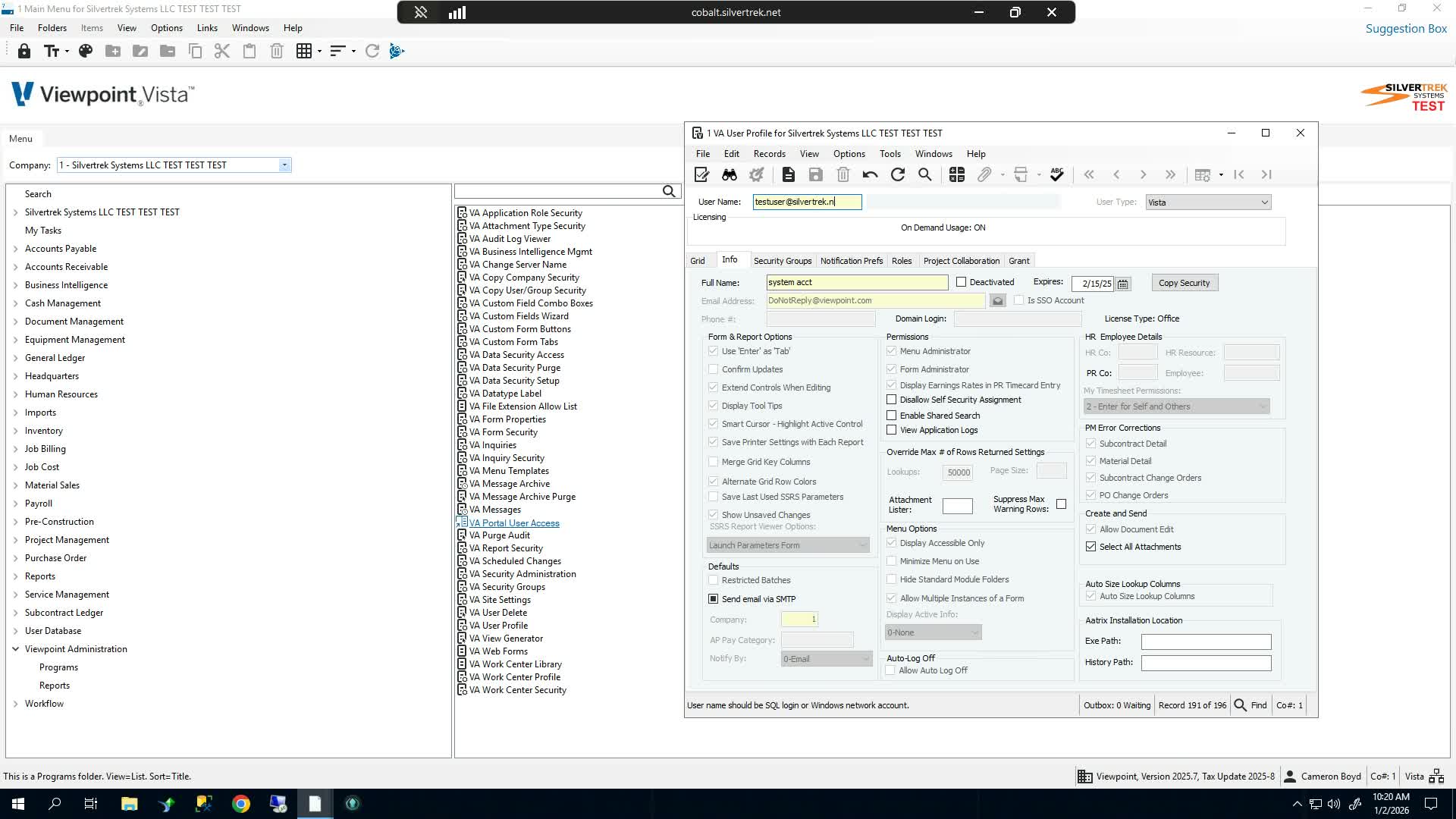
Move to the email address field.
Enter the email address exactly the same as the username.
Enter the password using the same value as the username/email address, as shown in the transcript.
5. Enable SSO Account 0:48
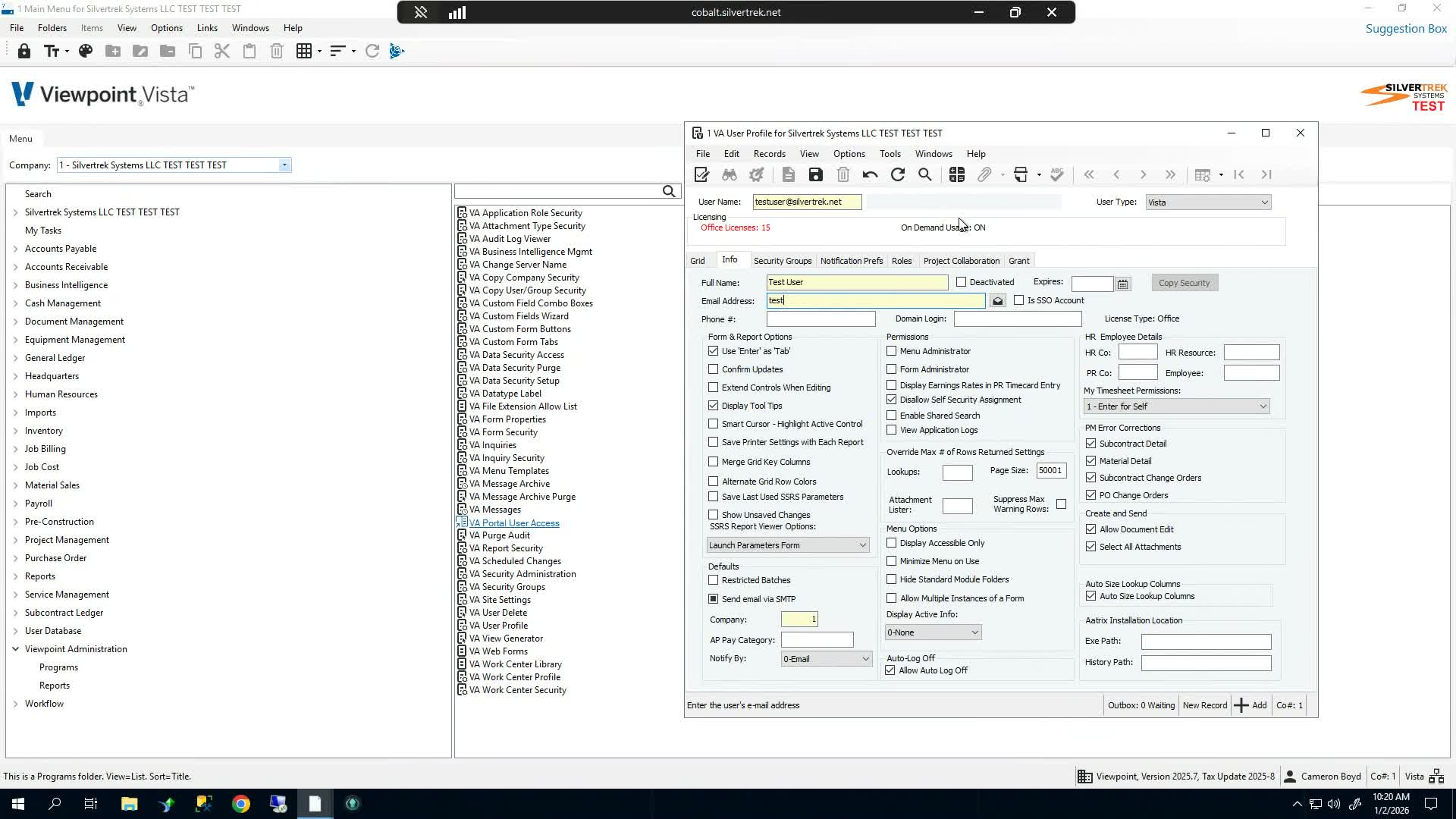
Select the SSO account checkbox.
Verify the checkbox is enabled before saving.
This setting is required for the account setup email process described in the video.
6. Save the Record and Complete Setup 0:58
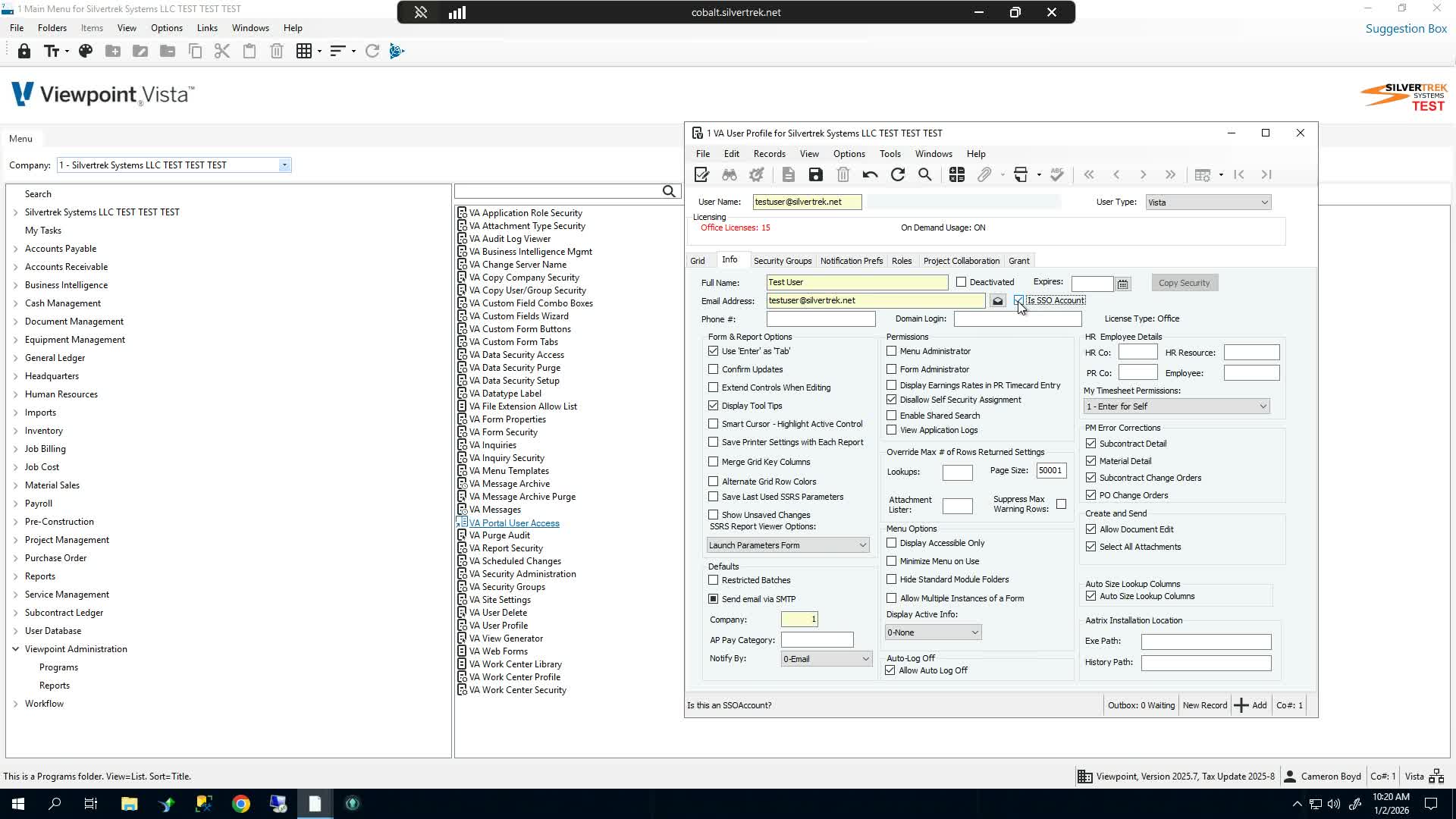
Click Save to create the user record.
After saving, the system should send the user an email to finish setup.
Confirm the user receives the setup email and completes the account activation process.
Cautionary Notes
Do not save a test or fake email address in a live environment.
Ensure the username, email address, and password values are entered exactly as required.
Confirm SSO account is selected before saving, or the setup email may not be triggered as expected.
Verify the email address is valid and accessible by the end user before completing the process.
Tips for Efficiency
Prepare the user's full name and email address before opening VA User Profile.
Use copy/paste for the username and email fields to reduce typing errors.
Double-check the SSO checkbox before saving to avoid having to recreate the record.
Keep a standard naming convention for usernames to make user creation faster and more consistent.
Link to Loom
Was this article helpful?
That’s Great!
Thank you for your feedback
Sorry! We couldn't be helpful
Thank you for your feedback
Feedback sent
We appreciate your effort and will try to fix the article