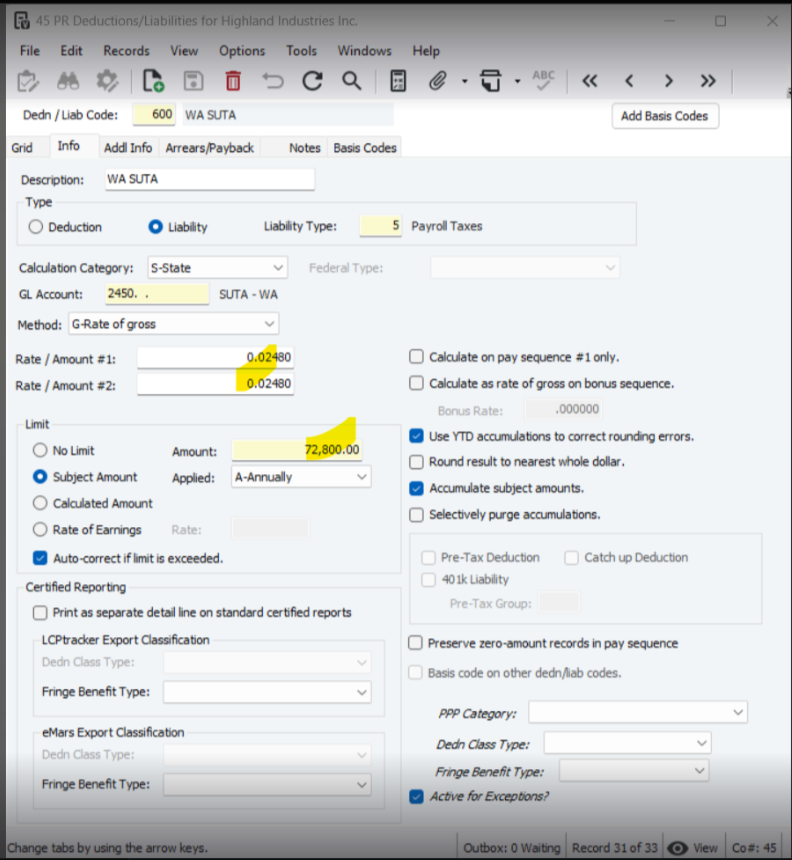
When you have changes to your SUTA/SUI rates or limits, you can update this setup in PR Deductions/Liabilities.
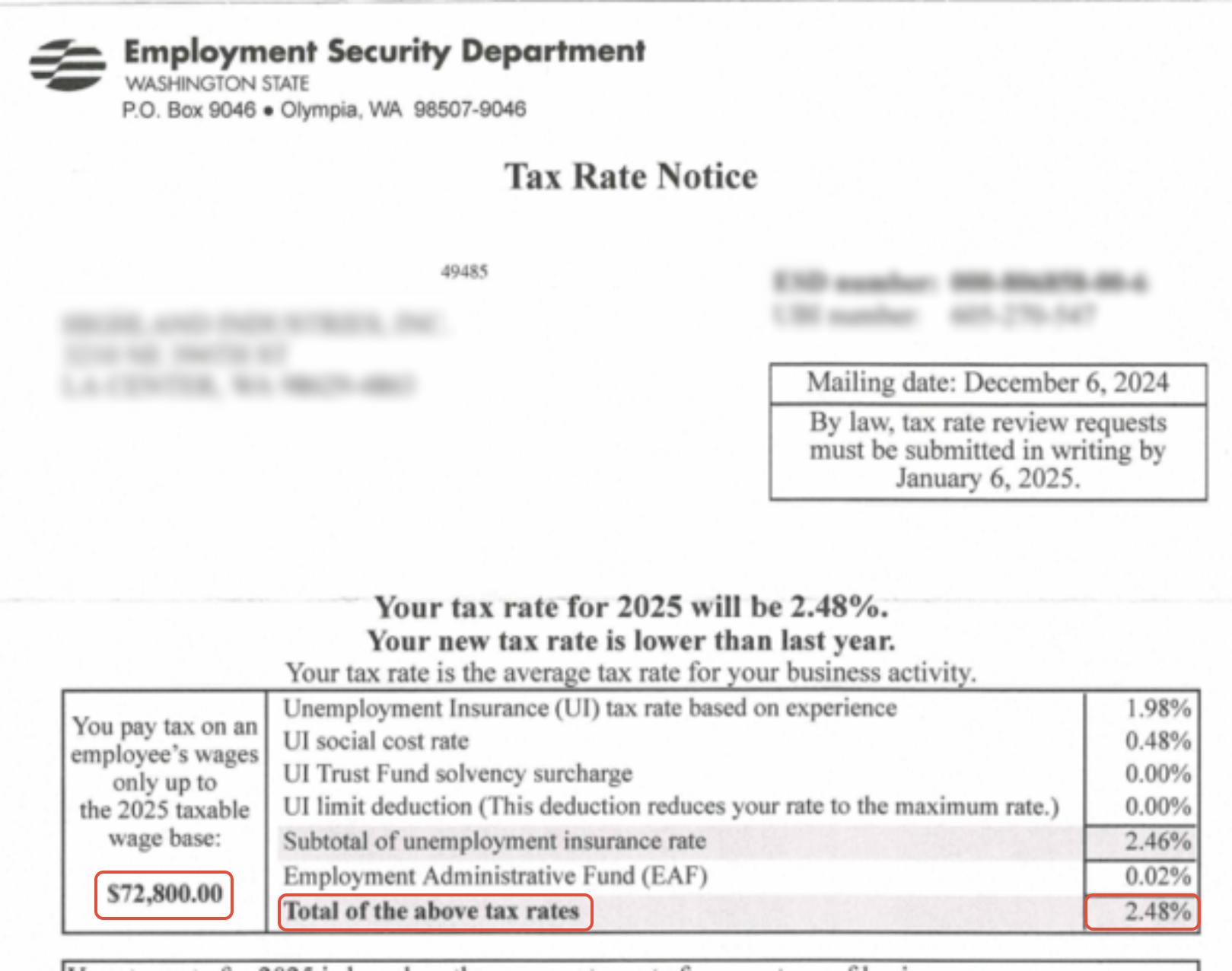
- Locate your liability code and on the Info tab enter the new tax rate in the Rate/Amount #1 and #2 boxes.
- If the limit needs to be updated, enter the new value in the Limit Amount Field.
- Save your changes.
Was this article helpful?
That’s Great!
Thank you for your feedback
Sorry! We couldn't be helpful
Thank you for your feedback
Feedback sent
We appreciate your effort and will try to fix the article