Prepaid invoices are paid using a manual check before the invoice is entered into the system.
1-Enter the Invoice in AP Transaction Entry:
-Additional steps here: [AP] AP Transaction Entry
2-Enter payment Info on the Payment Overrides Tab: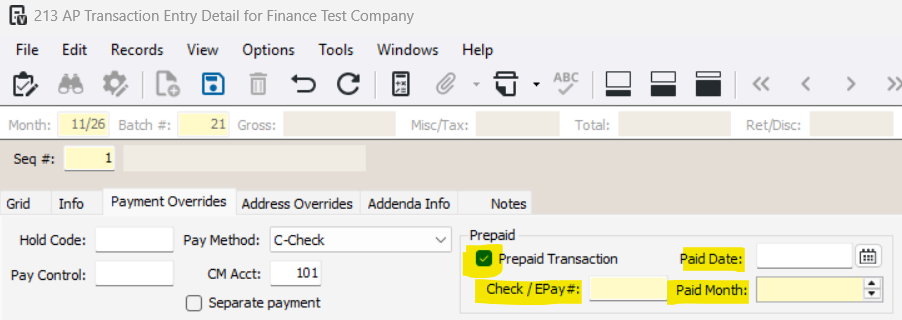
-Check the Prepaid Transaction checkbox.
-Enter the Check /EPay# (manual check number).
-Enter the Paid Date (payment date).
-The Paid Month defaults but can be adjusted if needed.
***Invoice Rules:
-Full payment: The payment must cover the full invoice amount minus retainage (e.g., $1,500 invoice minus $150 retainage = $1,350 payment).
-Discounts: Any discount shown will be applied.
-Payment month must be the same or later than the invoice month.
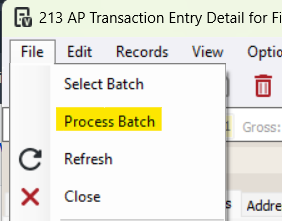
3-Process the Invoice Batch, go to File>Process Batch
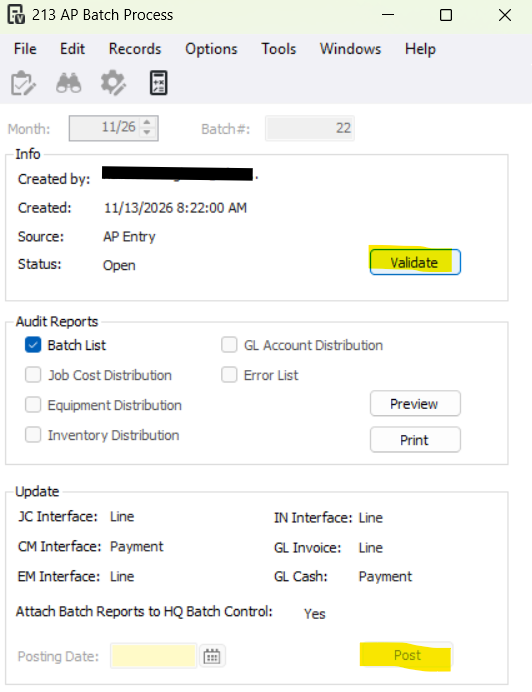
4-Press Validate and Post
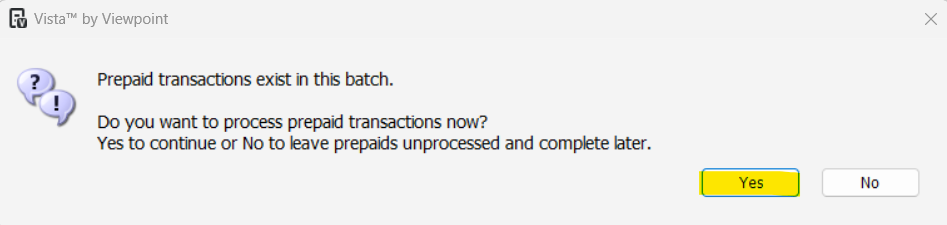
5-A message will ask if you want to process the prepaid transactions. Click Yes.
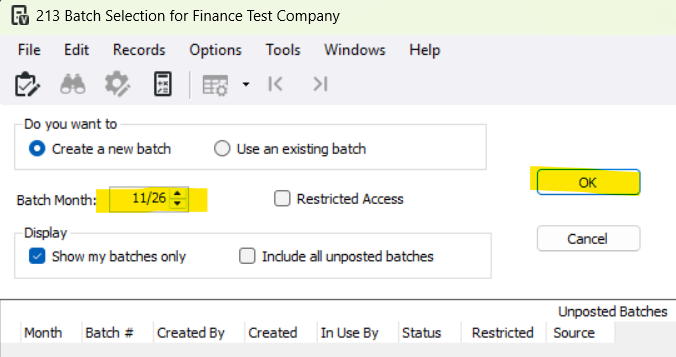
5-The Batch Selection form will appear. Select the month your payment was in and click OK.
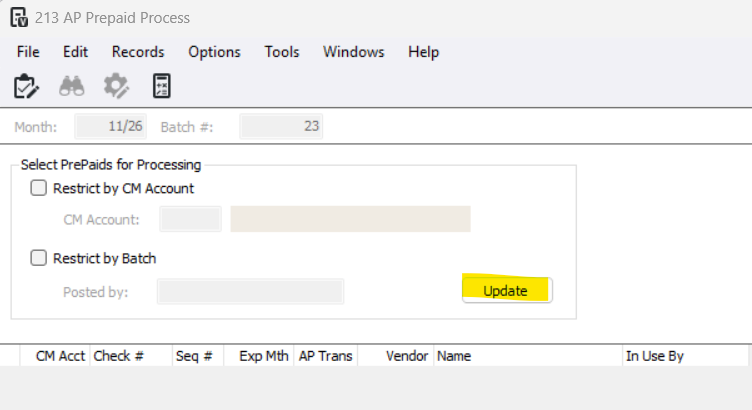
6-Press Update
Optional Filtering: You can restrict by CM Account or Batch.
-To filter by CM Account, check the Restrict by CM Account box and select the account.
-To filter by Batch, check the Restrict by Batch box and enter the user who posted the batch.
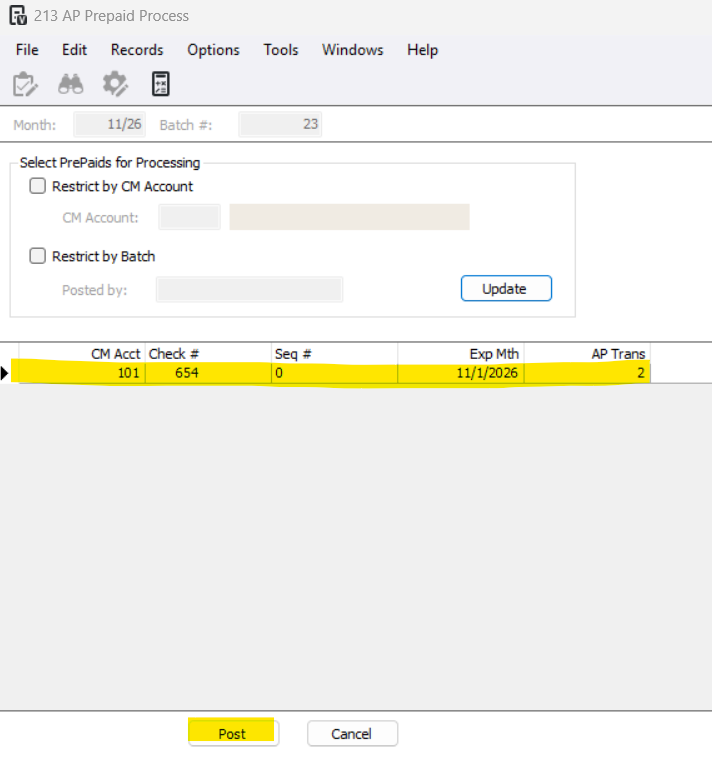
7-The payment will be added to your batch, press Post
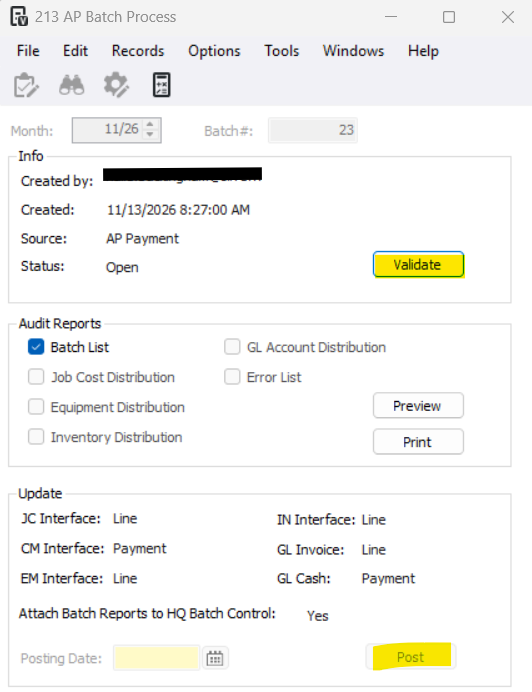
8-Press Validate and Post
Was this article helpful?
That’s Great!
Thank you for your feedback
Sorry! We couldn't be helpful
Thank you for your feedback
Feedback sent
We appreciate your effort and will try to fix the article