Adding States in HQ and Reciprocal States
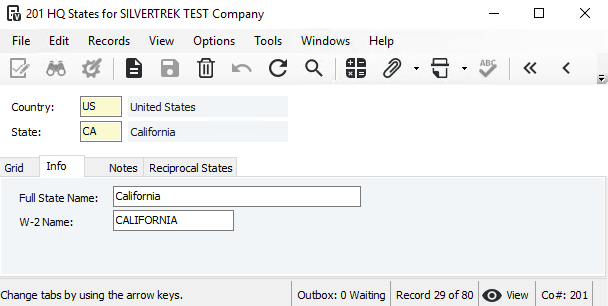
Steps:
Navigate to Headquarters → Programs.
Open HQ States.
To add a new state, click the New Record icon.
Enter the following information:
Country
State Code (two-digit)
Full State Name
W-2 Name (if different from the State Name)
If there are Reciprocal Agreements with other states (e.g., CA with AZ), add the applicable states on the Reciprocal States tab.
Click Save to complete the entry.
Was this article helpful?
That’s Great!
Thank you for your feedback
Sorry! We couldn't be helpful
Thank you for your feedback
Feedback sent
We appreciate your effort and will try to fix the article