- Open SM Company Parameters.
- Go to the Email Settings tab.
Enter the following:
From Address: Reply email for invoices.
Subject: Text for the email subject line.
Body: Text for the email message.
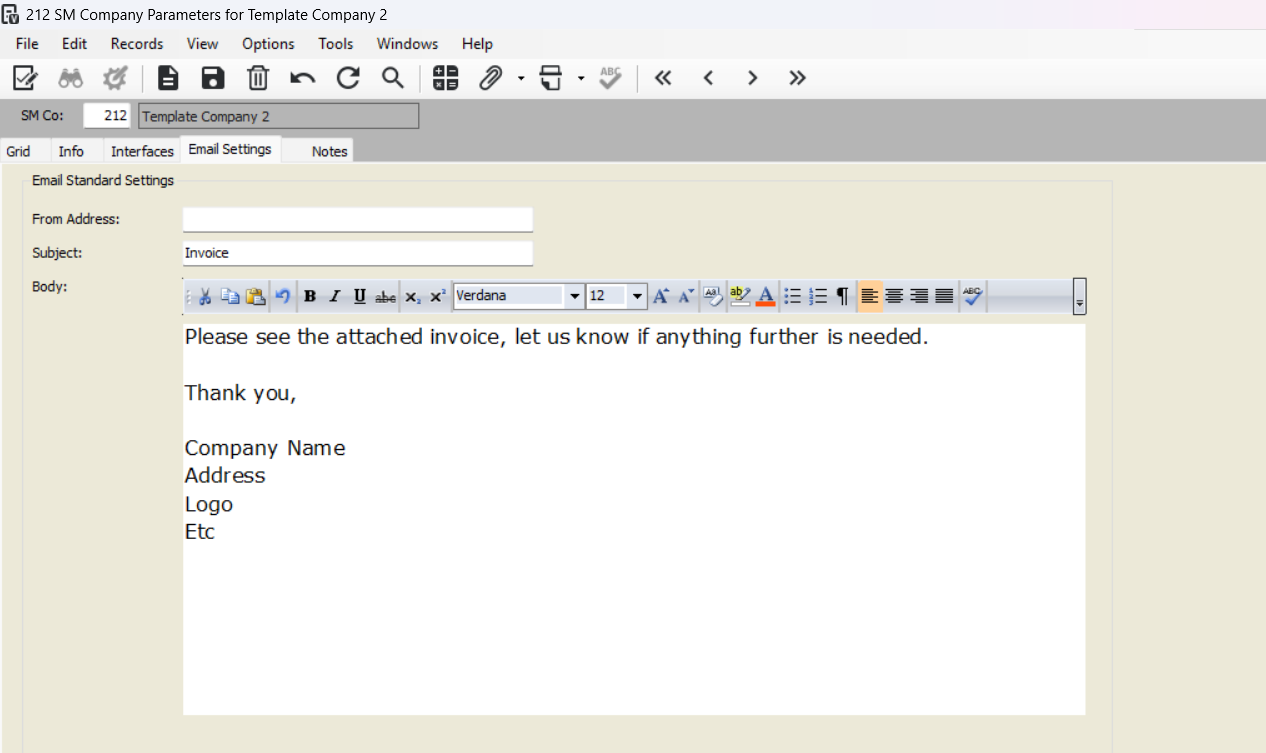
Email Settings in SM Company Parameters
From Address
Enter the reply email address (up to 60 characters).
Subject
Enter the email subject text (up to 60 characters).
Body
Enter the email message (up to 255 characters).
Use Ctrl + Enter for line breaks.
Use HTML tags for formatting (bold, italics, etc.).
Was this article helpful?
That’s Great!
Thank you for your feedback
Sorry! We couldn't be helpful
Thank you for your feedback
Feedback sent
We appreciate your effort and will try to fix the article