AP Prior Month Payment Reversal is used to reverse payments that were processed and posted in a previous month without reopening the original accounting period. This is commonly used for lost, incorrect, stale-dated, or rejected payments.
NOTE:
- This process will not work if the check to be reversed has been cleared in Cash Management
- When the original AP transaction is anything except expense type you may need to reopen a PO or SL, reopen a job or allow posting to a closed job, reopen a WO etc.
Steps:
1. Go to Accounts Payable > Programs > AP Prior Mth Payment Reversal
2. Choose a batch month (the current month) and click OK.
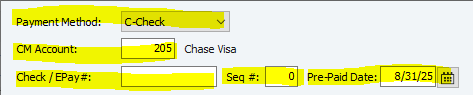
3. Fill in filters to find the payment (F4 in the Check/EPay # field)
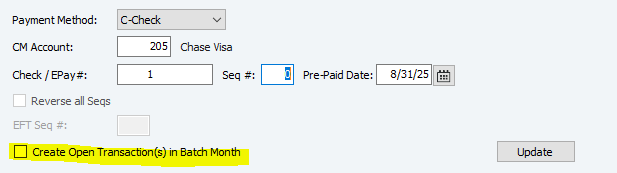
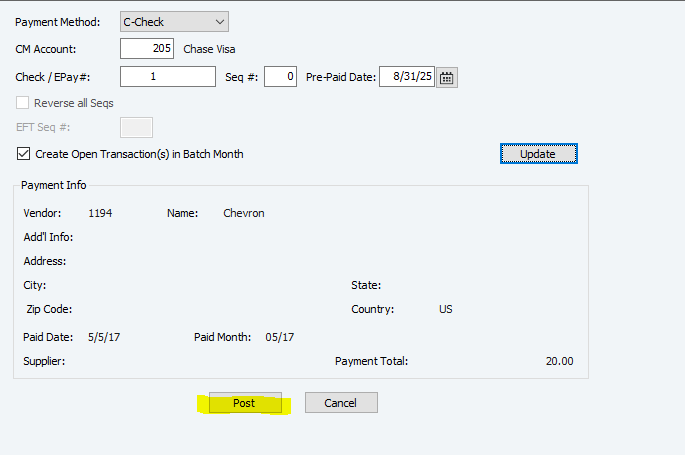
4. Check this box if you need the invoice to be available for repayment
Checked: Creates an open transaction, allowing the invoice to be selected and paid again.
Unchecked: Reverses the payment without creating a new open transaction.
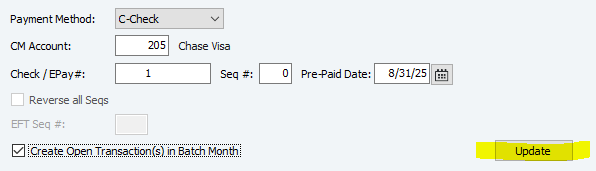
5. Click Update
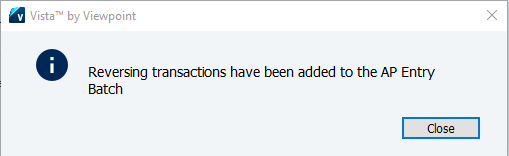
6. Click Close on the pop up notification
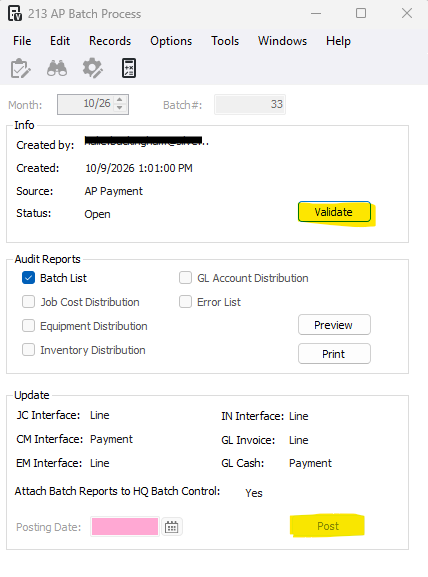
7. Click Post
8. Click Validate and Post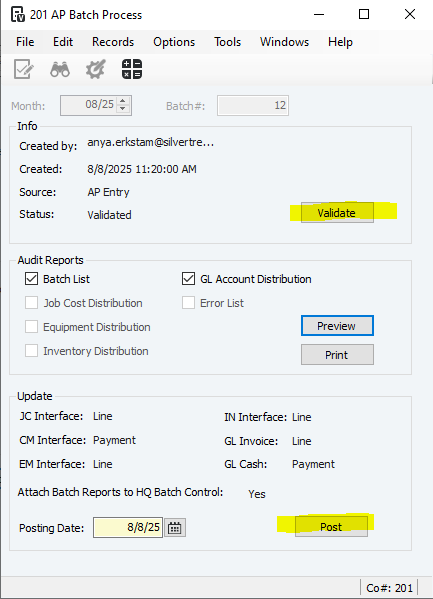
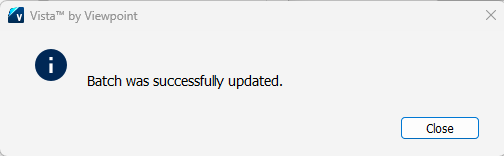
9- Press Close
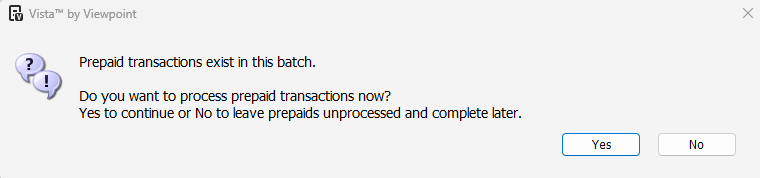
10- Press Yes to process the payment for the reversal
***If you press no, go to Accounts Payable>Programs>AP Prepaid Process
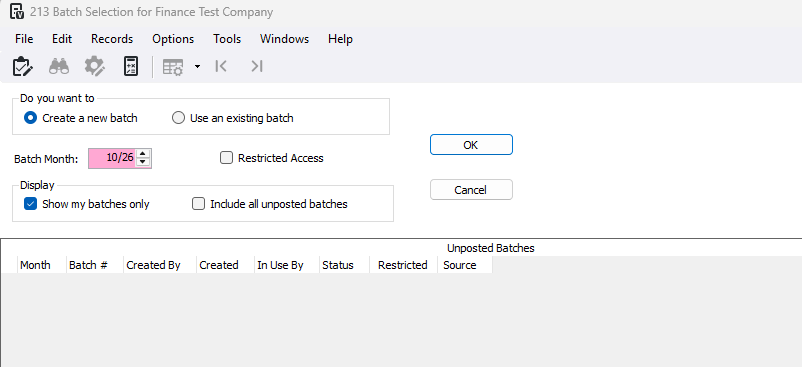
11- Open a batch for the month you processed the prior month payment reversal
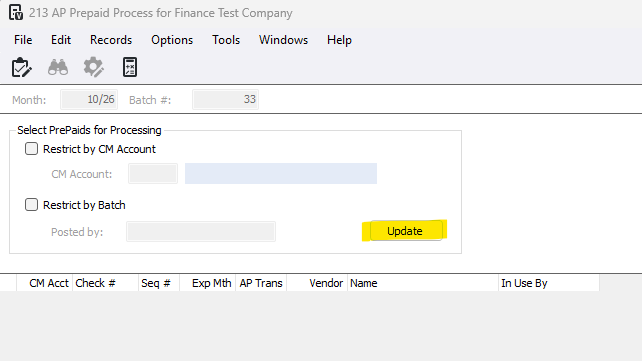
12- Press Update
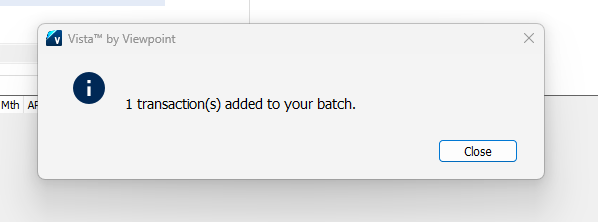
13- Press Close
14- Press Post
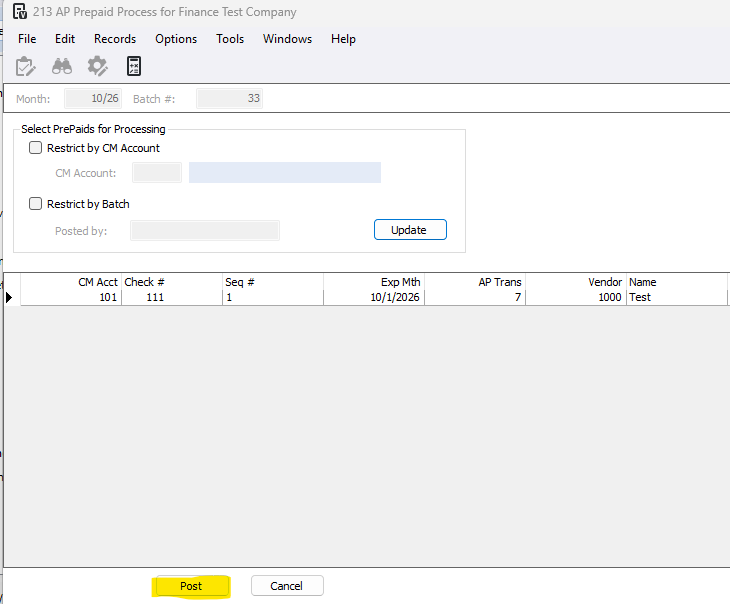
15- Validate and Post the batch
What happens when a payment is reversed?
When a check is reversed, the system automatically generates a prepaid reversing transaction in the batch month, not the month the payment was originally made. This transaction is identical to the original transaction, except that a negative amount is posted. If you are reversing a check that paid retainage, the prepaid reversing transaction includes the retainage amount.
If there were multiple transactions paid by the check, a reversing entry is created for each original transaction. The reversing transactions are posted to the current batch month. They are assigned the same check number as the original, but with a new sequence. When the check is posted (via AP Prepaid Process), it is added to CM, as well as to the Payment History tables (APPH, APPD). The positive and negative sequences of the check will net to zero, and may be cleared on the next check reconciliation. They will not be marked as void.
For example:
Original Transaction:
Exp Month | Trans # | Job | Gross |
1/XX | 200 | 1000 | $500.00 |
Original Payment:
Paid Month | CM Account | Check # | Check Seq # | Paid Amount |
2/XX | 10 | 3100 | 0 | $500.00 |
Reversing Transaction:
Exp Month | Trans # | Job | Gross | Prepaid Check # | Prepaid Seq # |
4/XX | 400 | 1000 | -$500.00 | 3100 | 1 |
Reversing Prepaid:
Paid Month | CM Account | Check # | Check Seq # | Paid Amount |
4/XX | 10 | 3100 | 1 | -$500.00 |
If you want to reinstate the invoice transaction so that it is available again for payment, check the Create Open Transaction(s) in Batch Monthbox. Once all the reversing entries are made, a new payable transaction matching the original transaction is generated and posted to the current batch month, as shown below.
New Transaction:
Exp Month | Trans # | Job | Gross |
4/XX | 401 | 1000 | $500.00 |
The subledgers and GL will be updated when the expense batch is posted. The transaction is then available for payment like any other transaction.
Was this article helpful?
That’s Great!
Thank you for your feedback
Sorry! We couldn't be helpful
Thank you for your feedback
Feedback sent
We appreciate your effort and will try to fix the article