Objective
This SOP outlines the steps to create a purchase order using the PO Purchase Order Entry system, ensuring accuracy and compliance with company procedures.
Key Steps
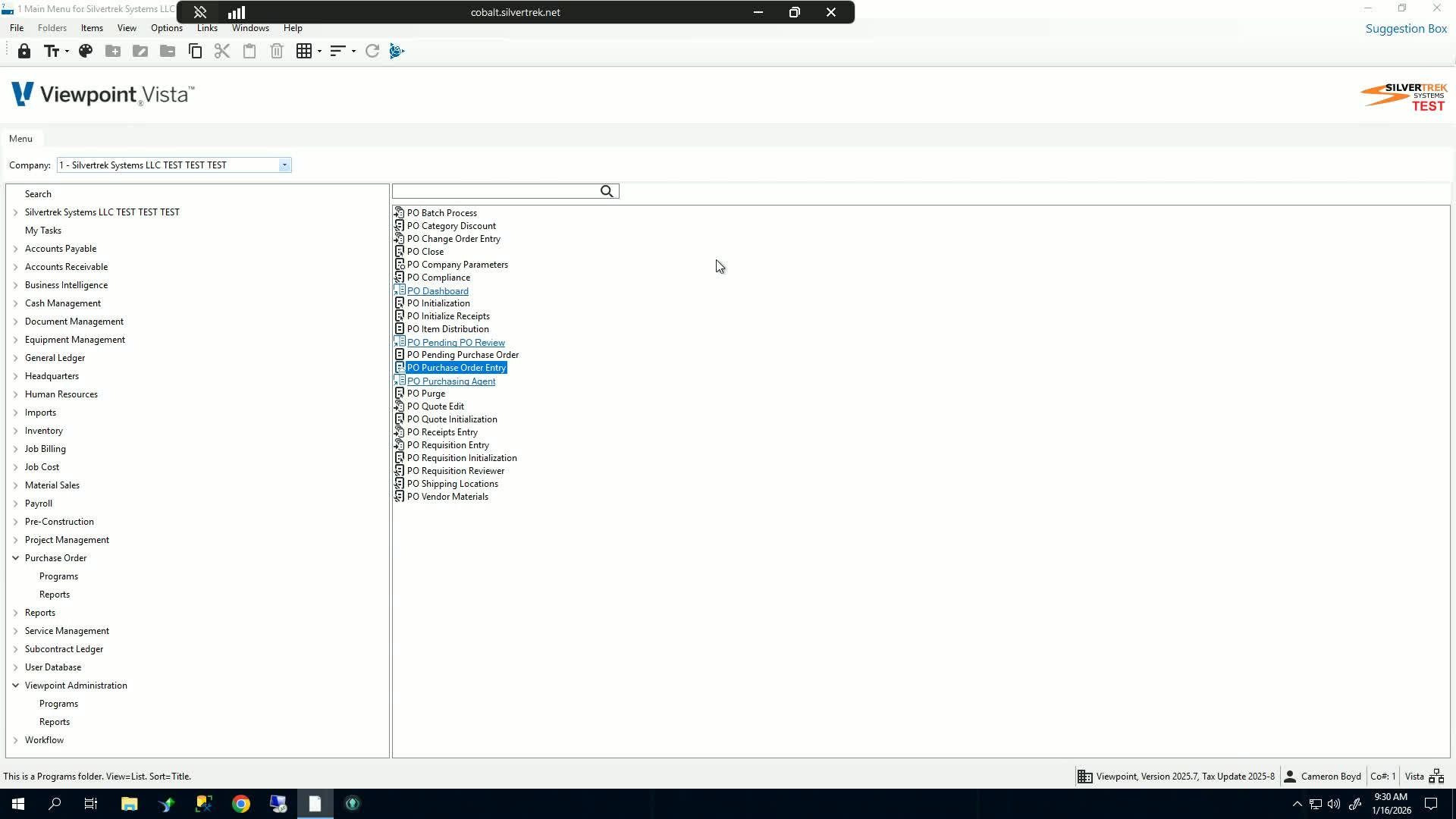
1. Access Purchase Order Programs 0:00
Navigate to the Purchase Order Programs section.
Open the Purchase Order Entry form.
2. Select Month and Open Batch Screen 0:15
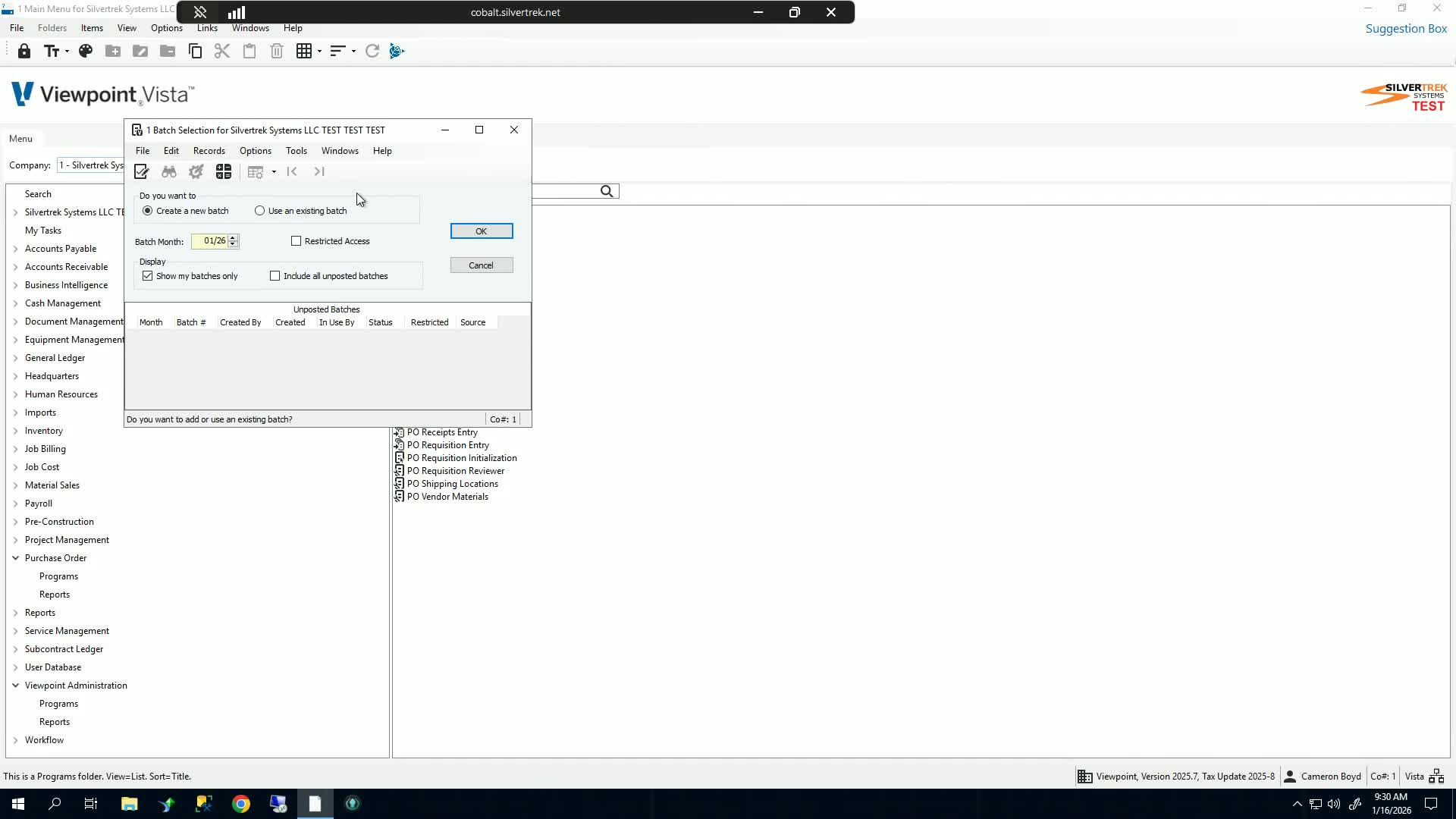
Choose the appropriate month for the purchase order.
Click 'OK' to proceed.
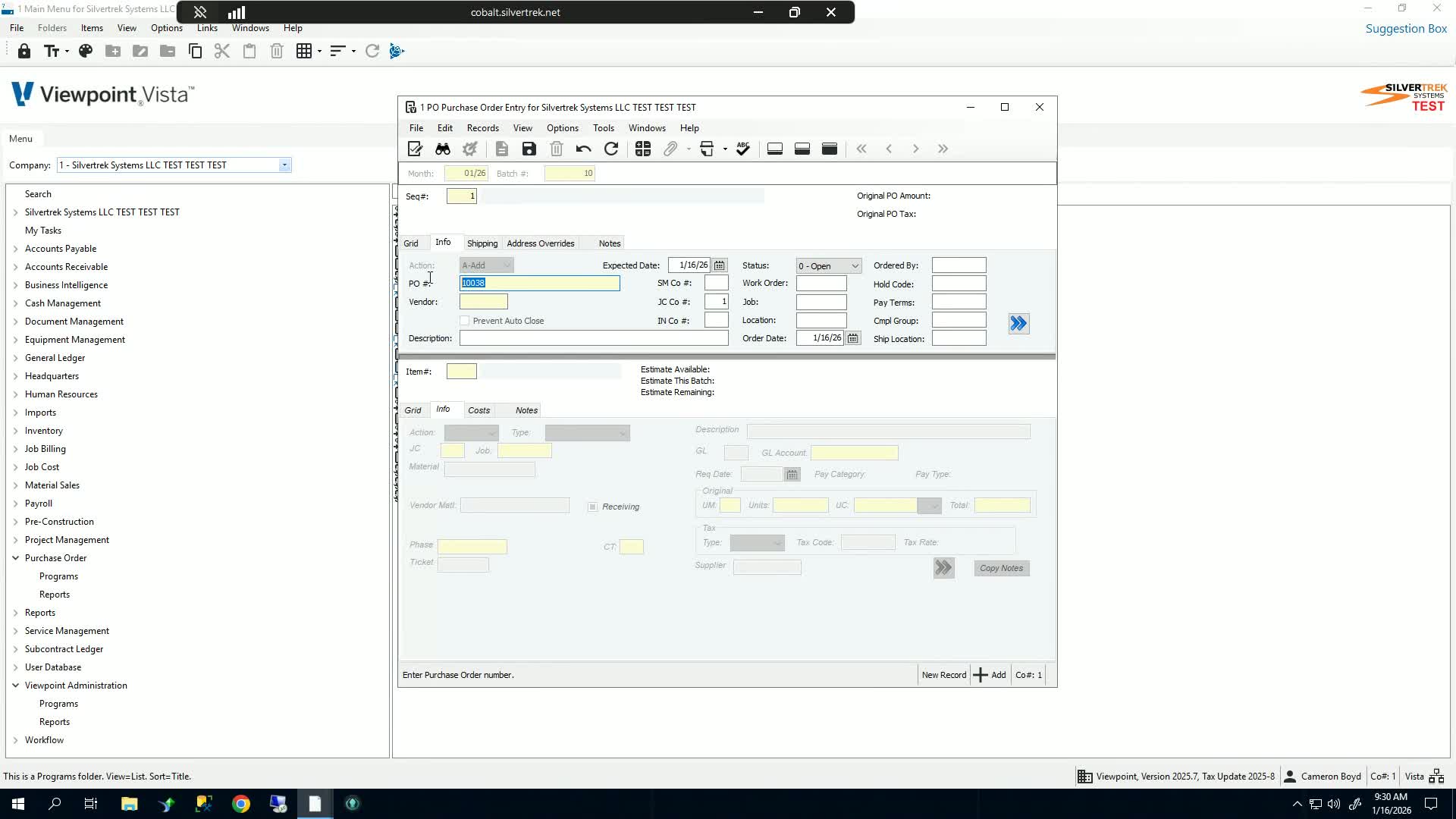
3. Enter Purchase Order Details 0:20
Tab to create a new purchase order sequence.
Enter the Purchase Order number (default will increment from the last number).
Input the vendor information.
4. Fill in Additional Information 0:37
Provide a description for the purchase order (e.g., 'testvo').
Set the expected arrival date.
Leave the status as 'Open' or select 'Complete' or 'Close' as needed.
5. Assign to Work Order or Job 1:06
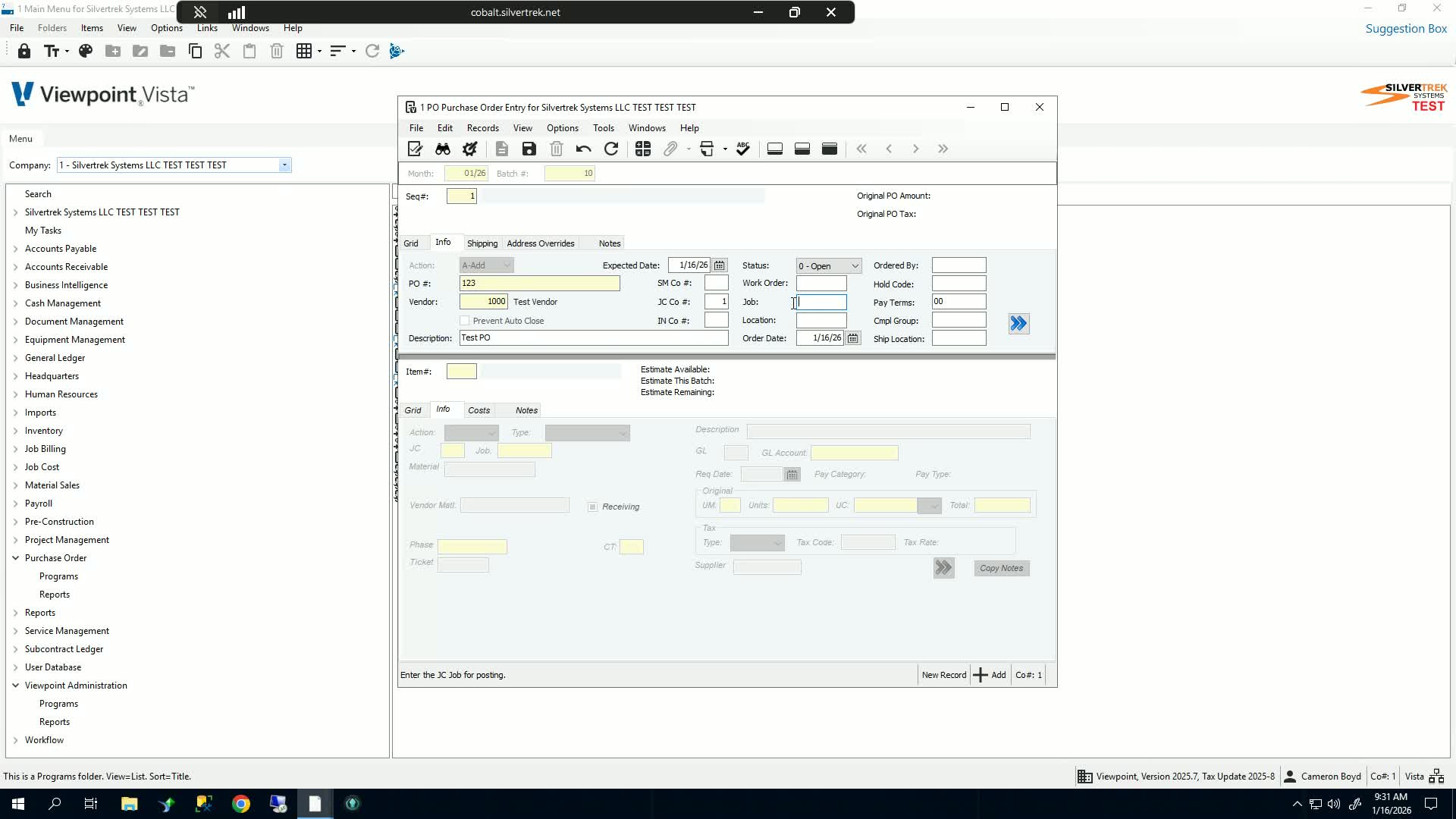
If applicable, assign the purchase order to a work order or job by selecting the relevant company.
6. Specify Inventory Location and Order Date 1:12
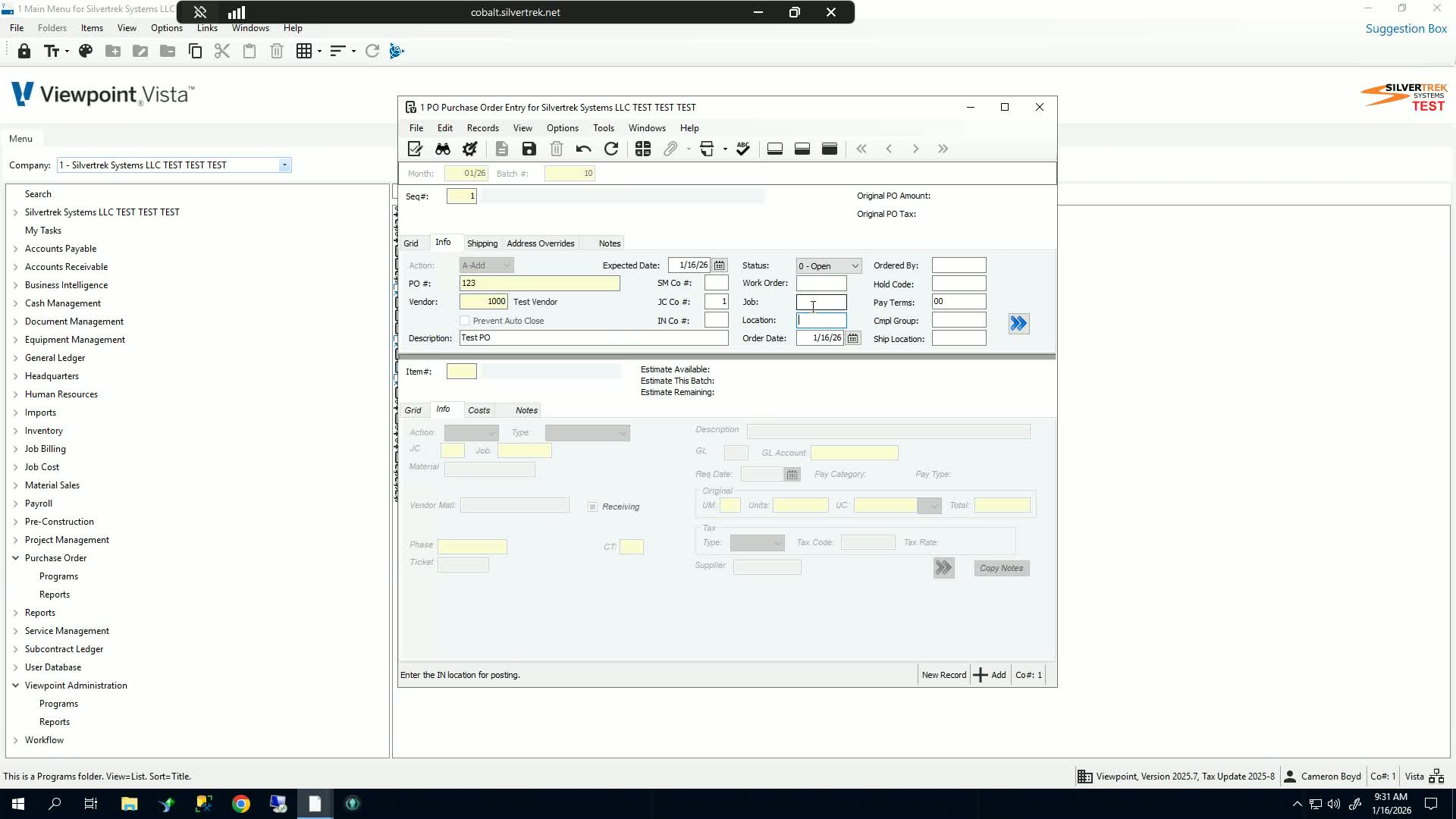
Assign an inventory location if necessary.
Enter the order date.
7. Input Order By and Hold Code 1:24
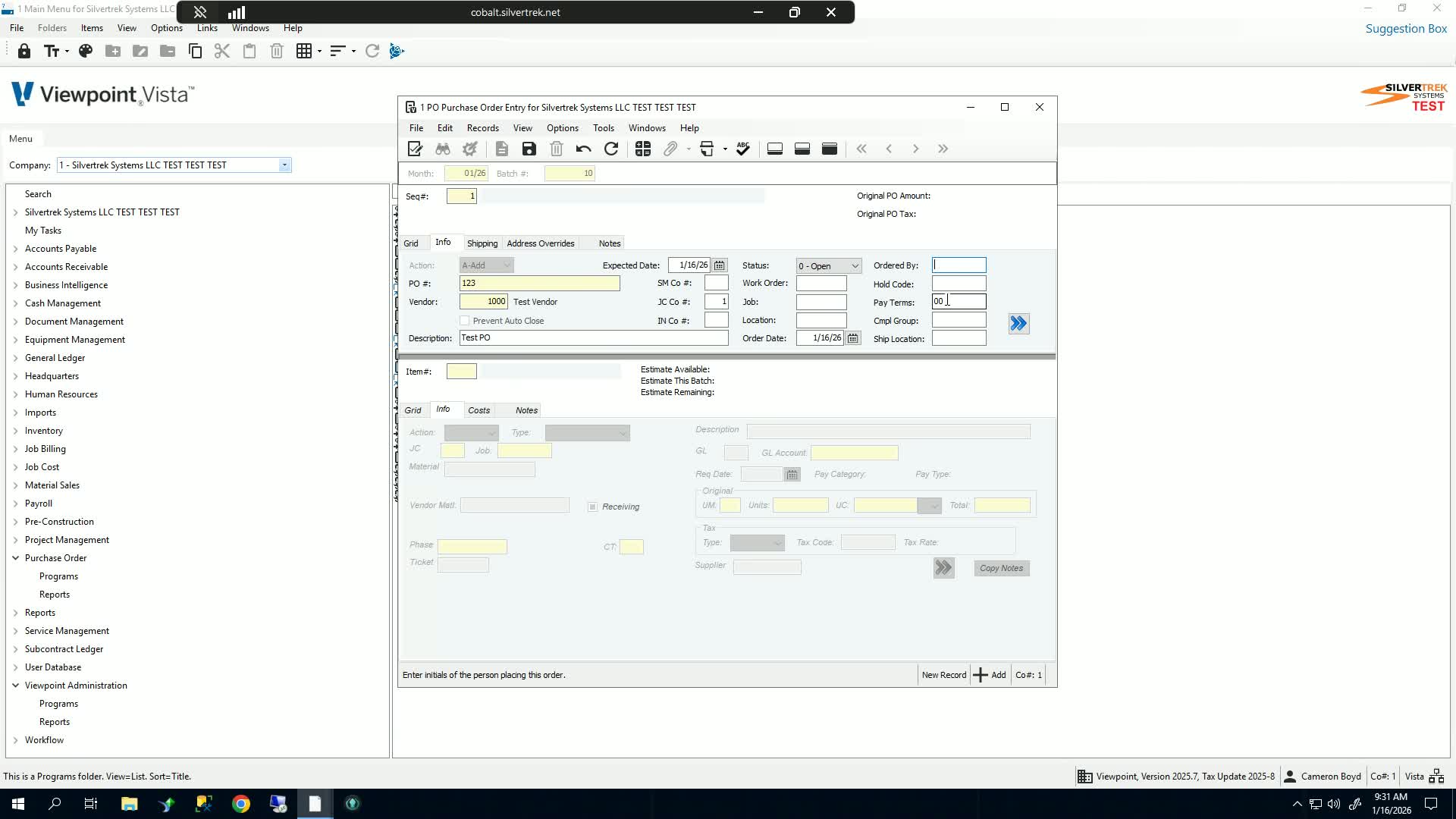
Enter initials in the 'Order By' field.
Set a hold code if required.
8. Set Payment Terms and Compliance Group 1:49
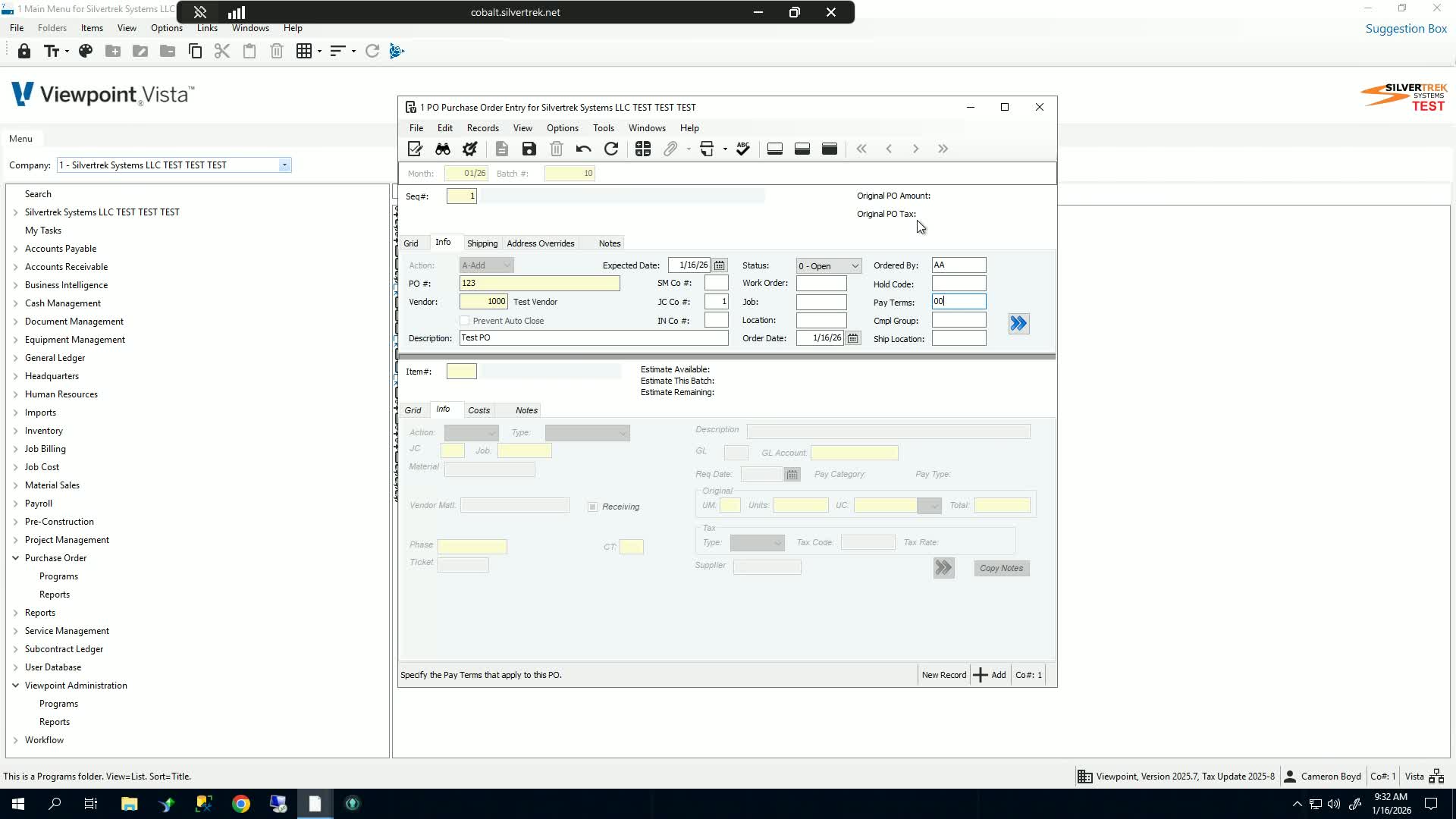
Specify payment terms for the purchase order.
Assign a compliance group and shipping location if necessary.
9. Save and Add Line Items 2:05
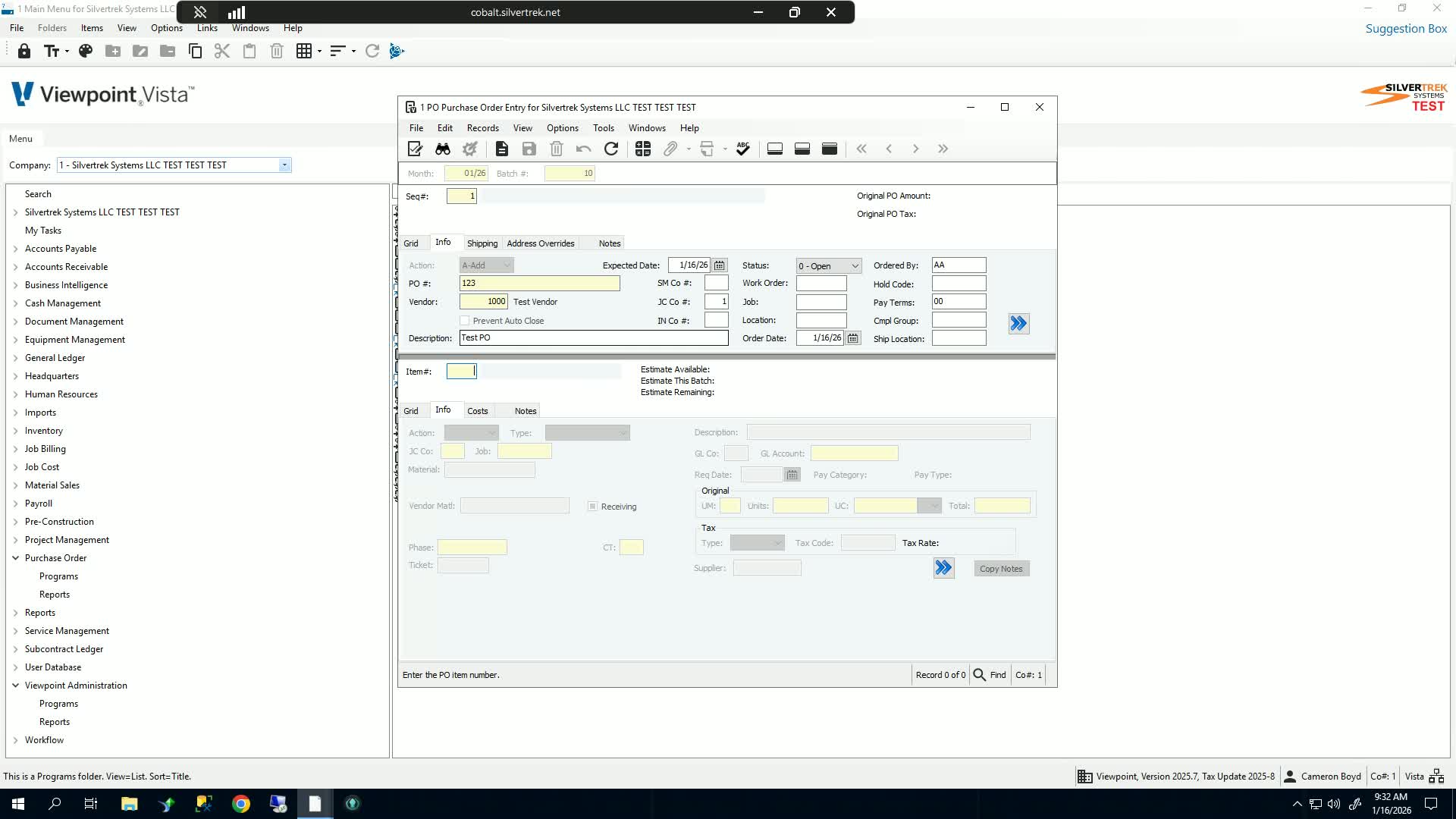
Save the purchase order.
Add a new line item for the order.
10. Select Line Item Type and Material 2:14
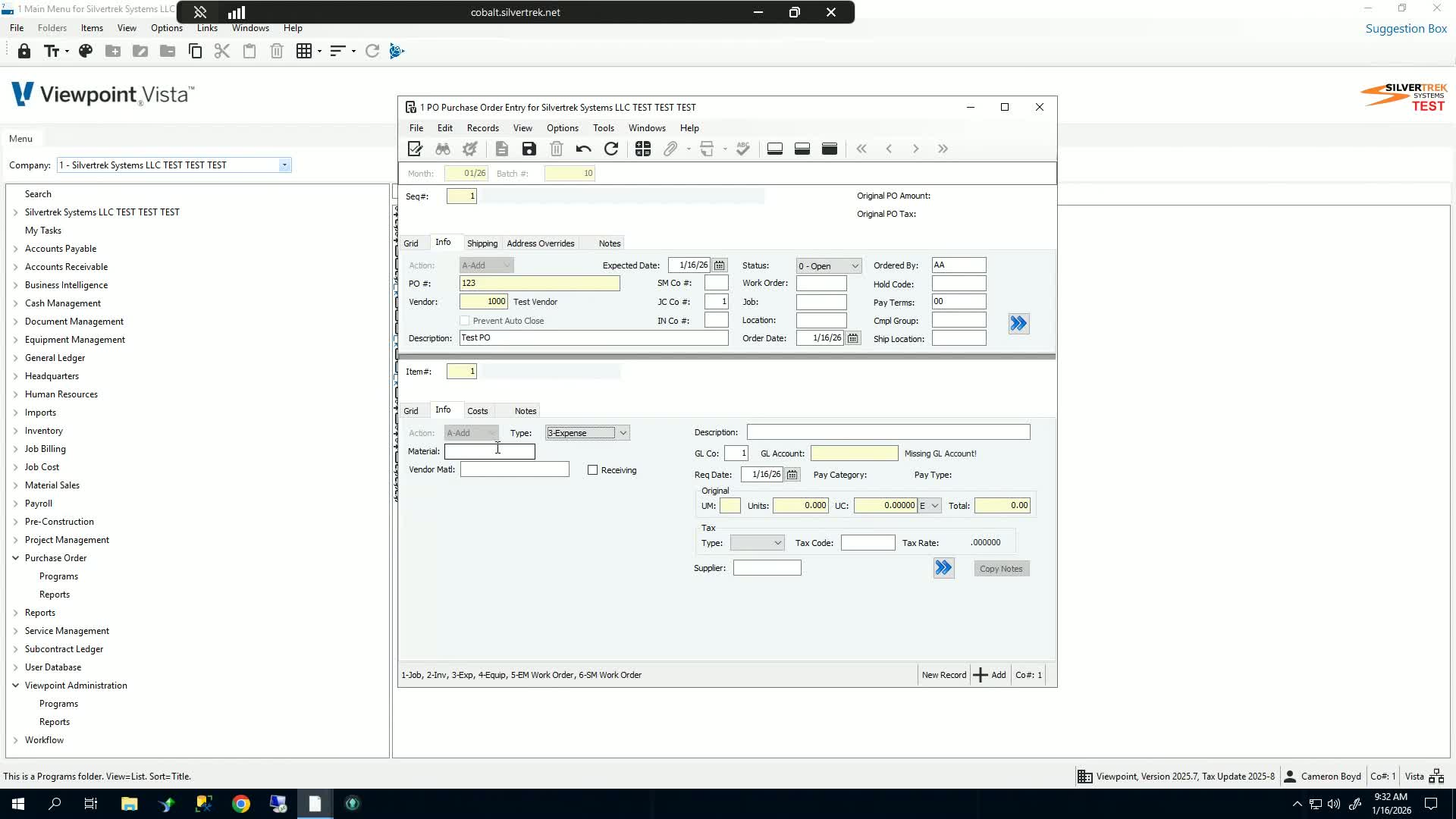
Choose the type of line item (e.g., job, inventory, expense).
Select the material for the line item.
11. Enter GL Account and Required Date 2:26
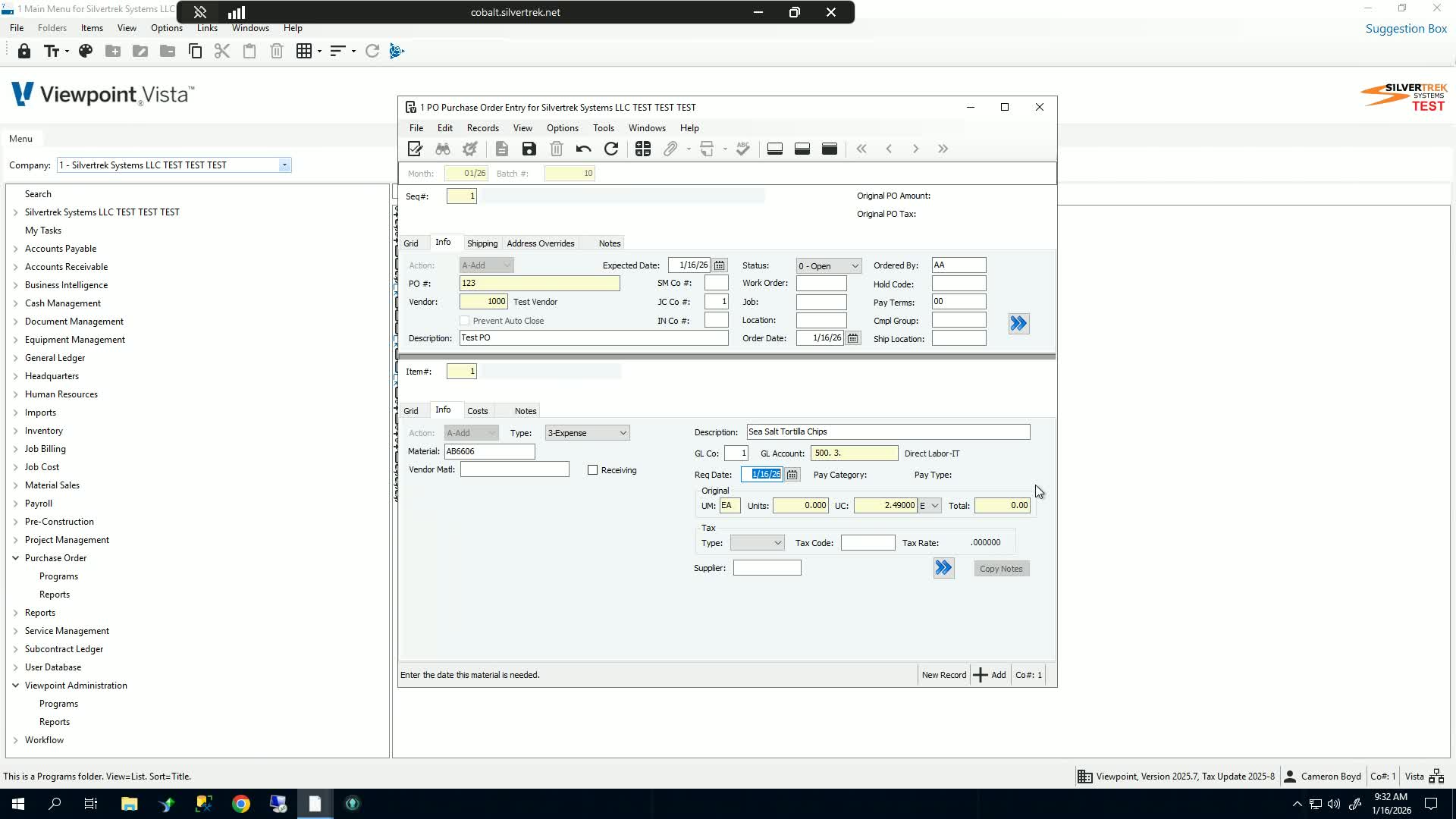
Select the appropriate GL account for expenses.
Input the required date for the line item.
12. Specify Units and Unit Cost 2:41
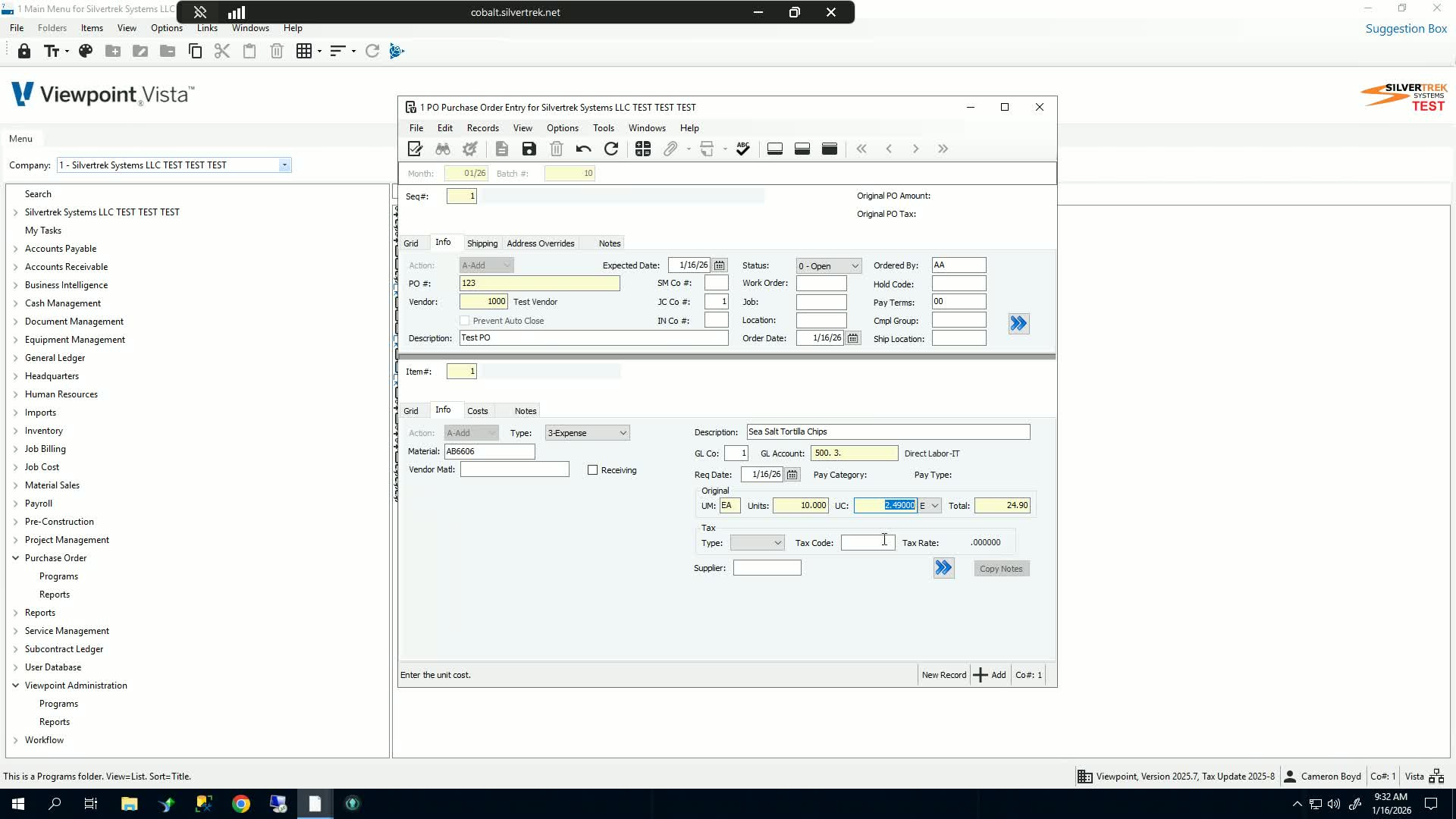
Enter the units and unit cost for the line item.
The total will automatically populate.
13. Set Tax Code and Receiving Checkbox 2:56
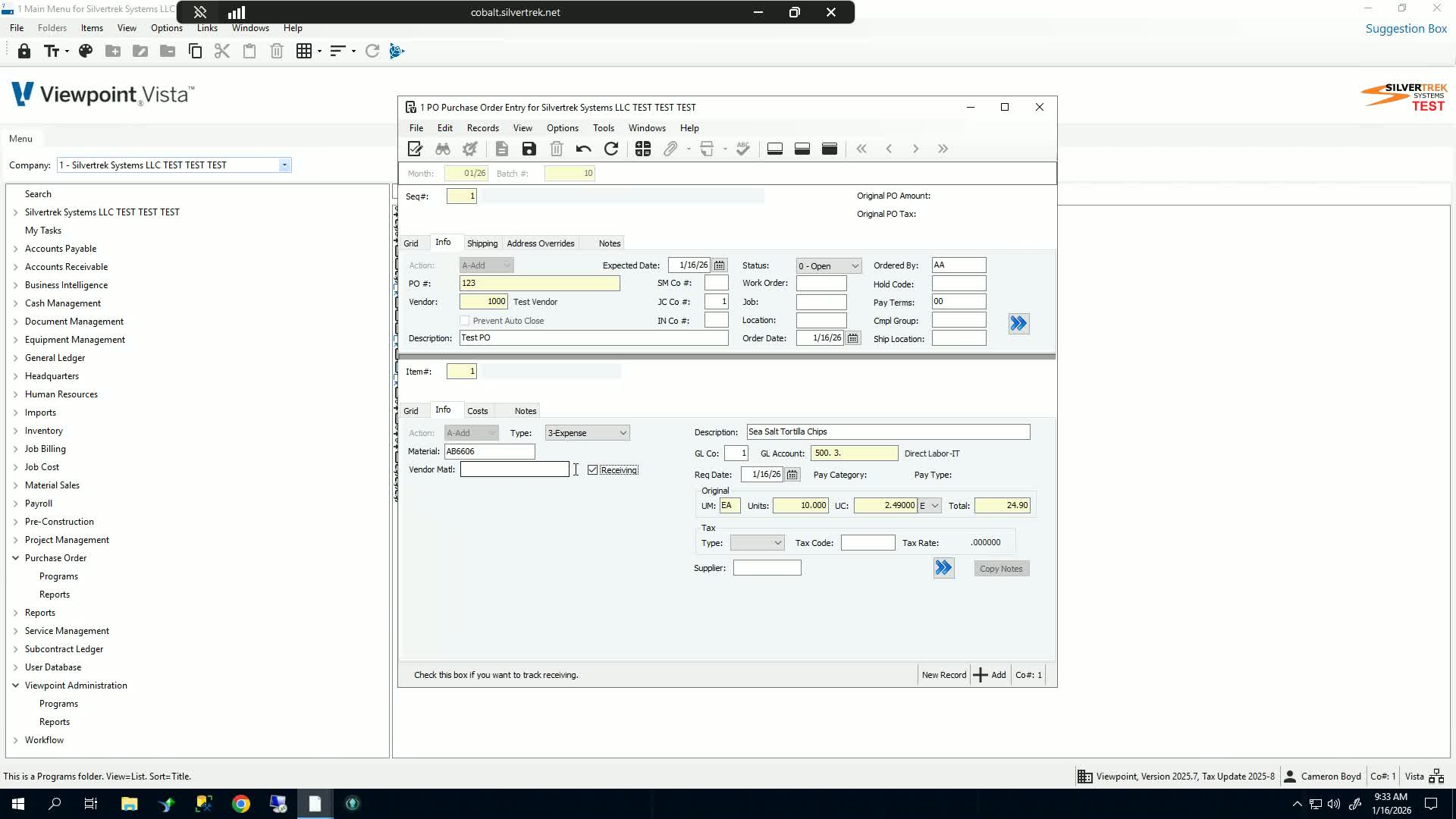
Choose the applicable tax code.
Check the 'You receiving' checkbox if the purchase order needs to be received through the PO module.
14. Finalize and Save Purchase Order 3:07
Save the purchase order once all details are entered.
Cautionary Notes
Ensure all fields are filled out accurately to avoid processing delays.
Double-check vendor information before saving the purchase order.
Tips for Efficiency
Use templates for frequently ordered items to speed up the process.
Keep a record of common vendors and materials for quick reference.
Link to Loom
Was this article helpful?
That’s Great!
Thank you for your feedback
Sorry! We couldn't be helpful
Thank you for your feedback
Feedback sent
We appreciate your effort and will try to fix the article