The process:
- Go to the Payroll module > Programs > PR W-2 Process
- Go to File > Preview/Print W2
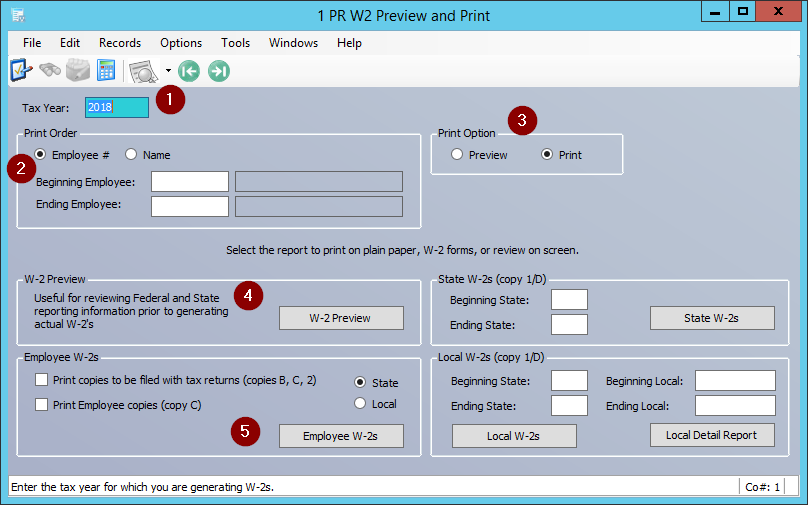
- Select the appropriate Tax Year in the upper left hand corner, or go to Grid view and select the year (2018 in our case)
- Under Print Order choose the employee's number or name
- Select whether you want to Preview or Print the W2 (you must choose one)
- Under W-2 Preview > click the button W-2 Preview to review the W-2 before printing
- Choose whether you want copies B, C, 2 to be printed along with the Employee W-2 > Check the Print Employee copies (copy C) checkbox > make sure State is selected > click the Employee W-2s button to print the W-2
NOTE: there are also options here to print specific State W-2s and Local W-2s if needed, this depending on the actual state and local requirements
Was this article helpful?
That’s Great!
Thank you for your feedback
Sorry! We couldn't be helpful
Thank you for your feedback
Feedback sent
We appreciate your effort and will try to fix the article