GL Month End Close is used to close an accounting month in the General Ledger once all transactions have been entered, posted, and reviewed. Closing the month helps ensure financial information is accurate and prevents additional transactions from being posted to a closed accounting period.
1-Go to General Ledger>Programs>GL Month End Close
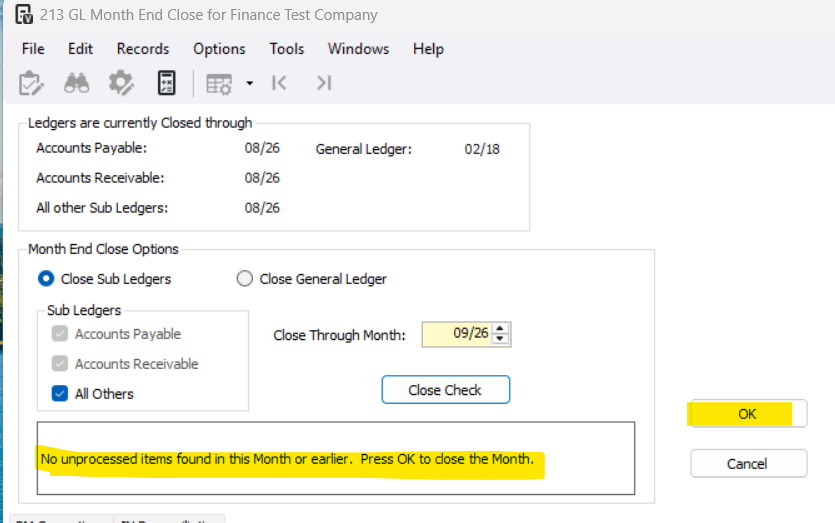
2-Select Close Sub Ledgers
Optional: You can unselect All Others to close just Accounts Payable and/or Account Receivable
**You must close all sub ledgers before closing the general ledger
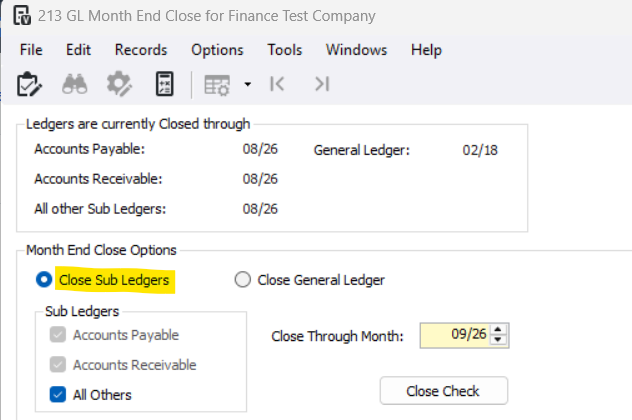
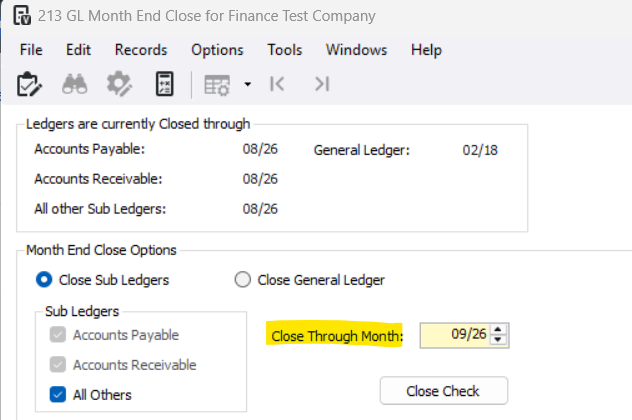
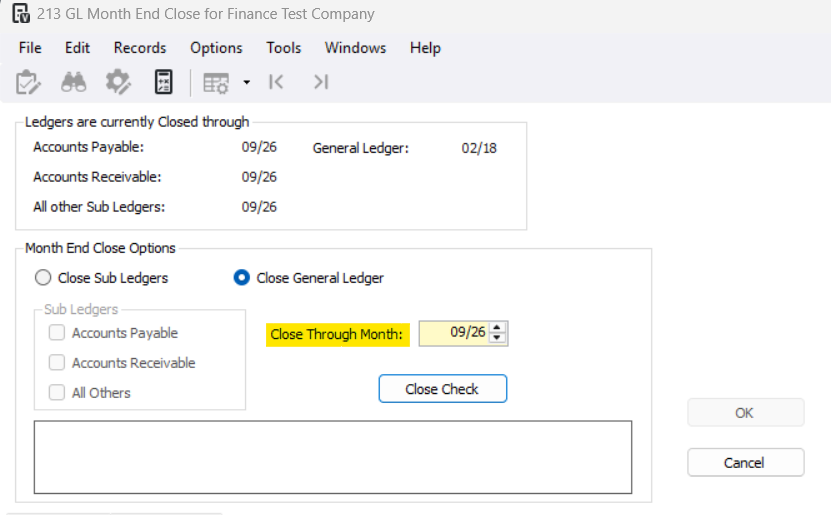
3-Select the Close Though Month
This month determines the last accounting month that will be closed. All months up to and including the selected month will be closed for posting.
4-Press Close Check
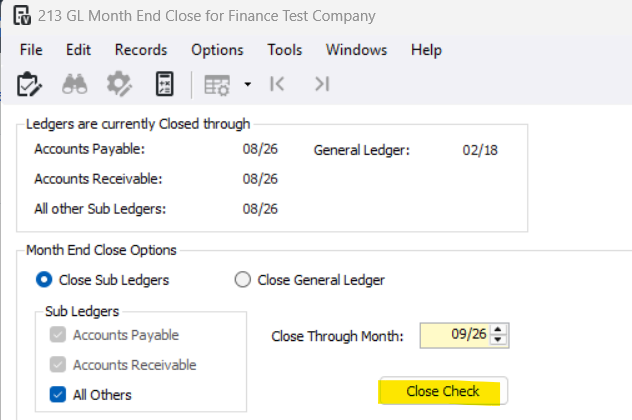
5-Review any open batches
See article here for how to handle open batches: [GL] How to Handle Close Check Errors (GL Month-End Close)
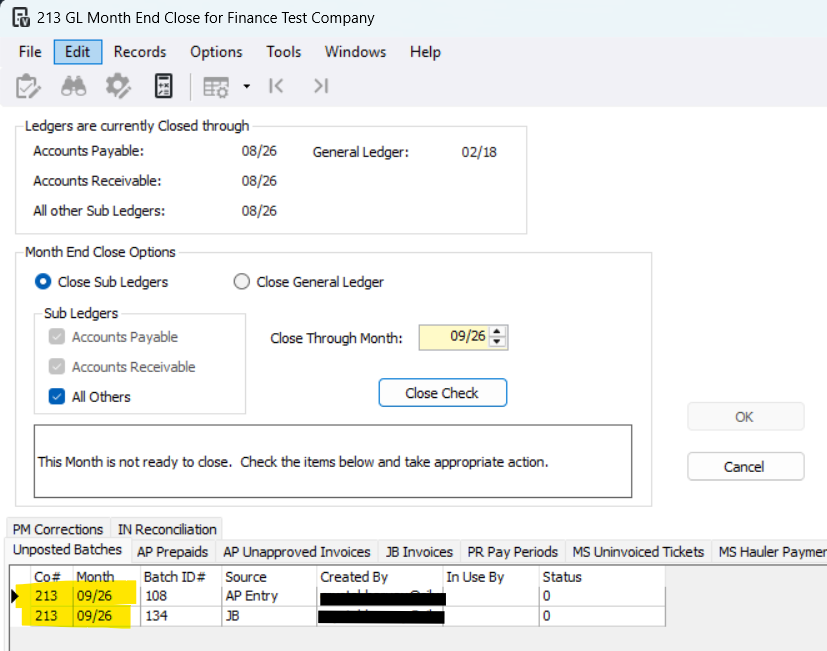
6-Once all batches are closed, press OK
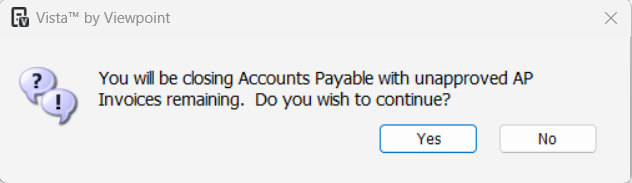
7-There will be a series of pop-up messages confirming if you want to close each subledger. Press Yes
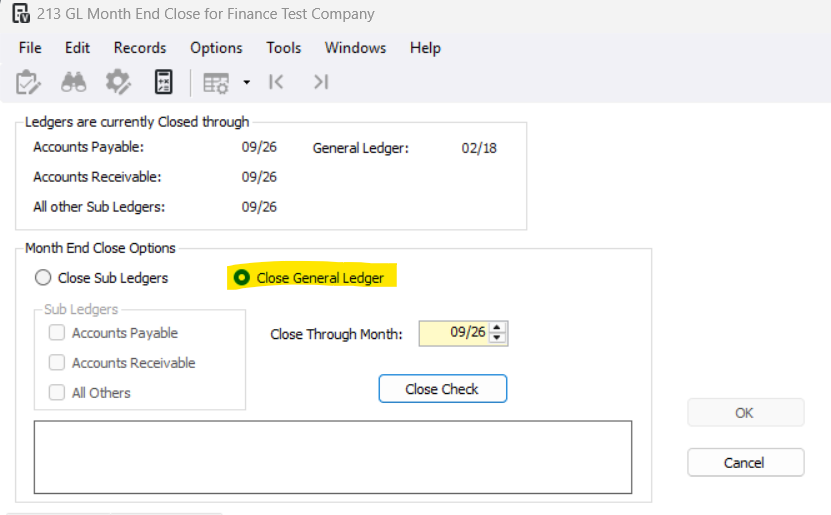
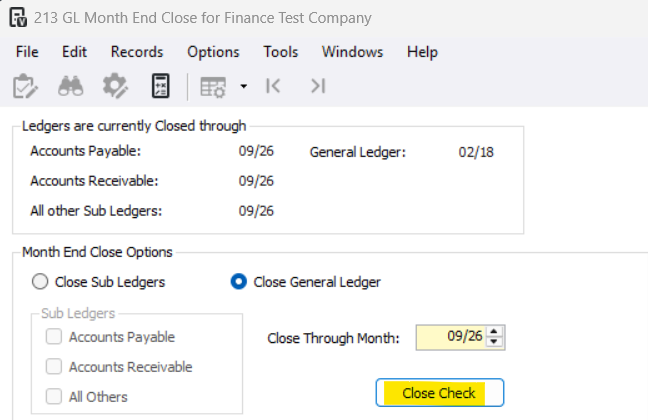
8-To close the General Ledger, go back to General Ledger>Programs>GL Month End Close
9-Check the Close General Ledger Checkbox
10-Select the Close Though Month
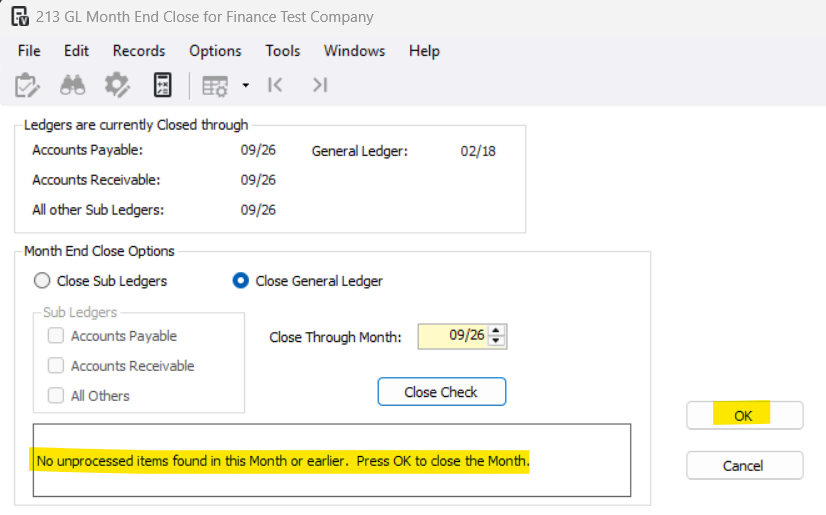
11-Press Close Check
12-Press OK
To re-open a month view article here: [GL] Re-Opening a GL Month that has been Closed
Was this article helpful?
That’s Great!
Thank you for your feedback
Sorry! We couldn't be helpful
Thank you for your feedback
Feedback sent
We appreciate your effort and will try to fix the article