1-Go to Accounts Payable>Programs>AP Automatic Invoice Entry
2-Go to the 'Completed' tab
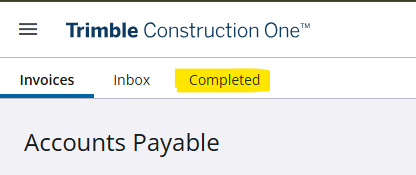
3- View the status column for any errors
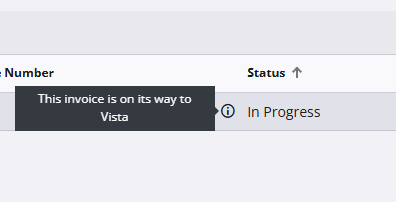
If you see 'In Progress', the invoice is still being sent to Vista
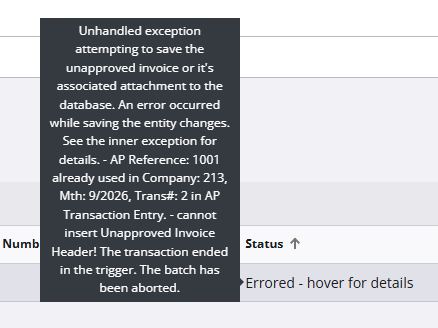
If you see 'Errored - hover for details', place your pointer over the error to get more details. This indicates that the invoice reference already exists in Vista, the program stopped the invoice from being imported to avoid duplicates.
Was this article helpful?
That’s Great!
Thank you for your feedback
Sorry! We couldn't be helpful
Thank you for your feedback
Feedback sent
We appreciate your effort and will try to fix the article