Placing a cash receipt On Account allows a payment to be recorded for a customer without applying it to a specific invoice. This is commonly used when a customer makes an advance payment, overpays an invoice, or sends a payment before it is determined which invoices should be paid. The amount remains as an unapplied credit on the customer's account and can be applied to invoices at a later date.
1-Go to Accounts Receivable>Programs>AR Cash Receipts
2- Create a new Seq, fill in the header portion, and press Save
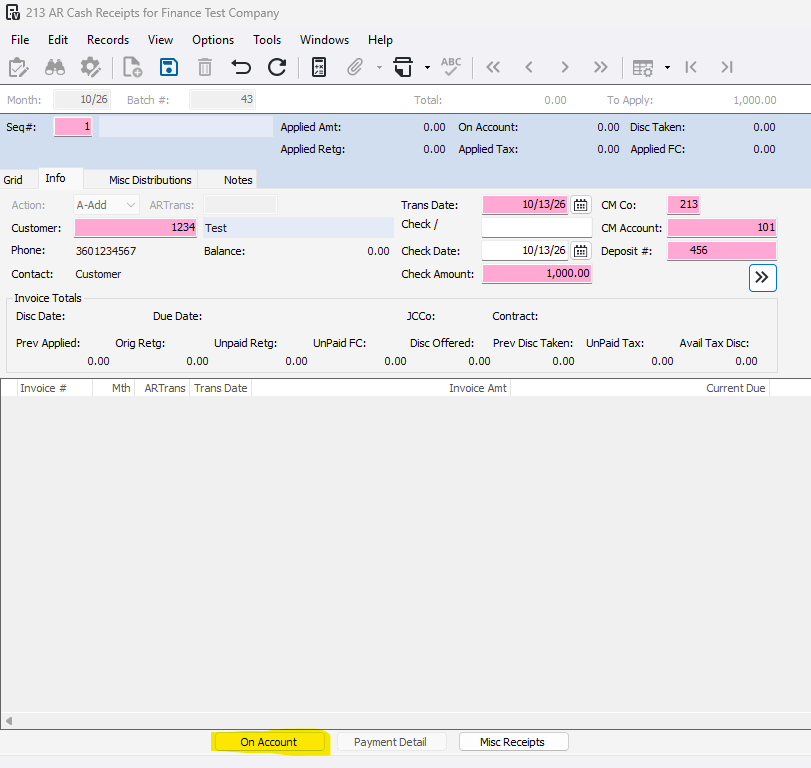
3- Press 'On Account'
4- Enter N or + in the Line # field and press Enter
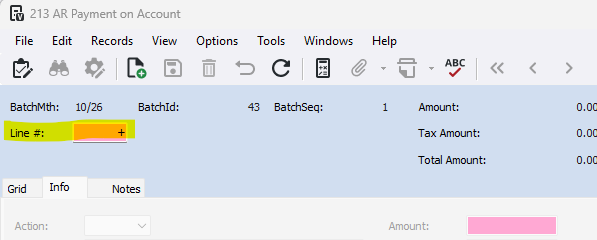
5- Fill in the description (optional), the amount you are putting on account, and any tax or discount information
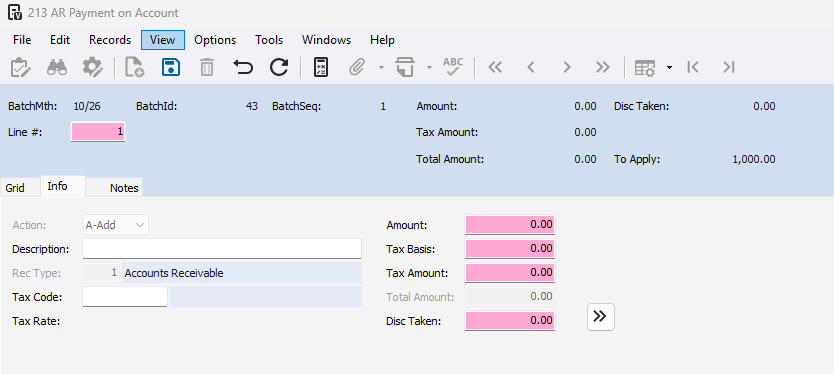
6- Once you are done, press Save and exit out

7- Once you are done with the cash receipt, go to File>Process Batch
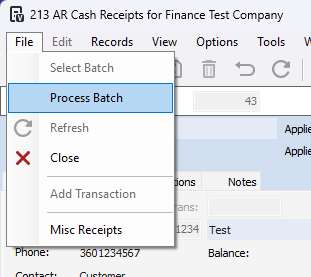
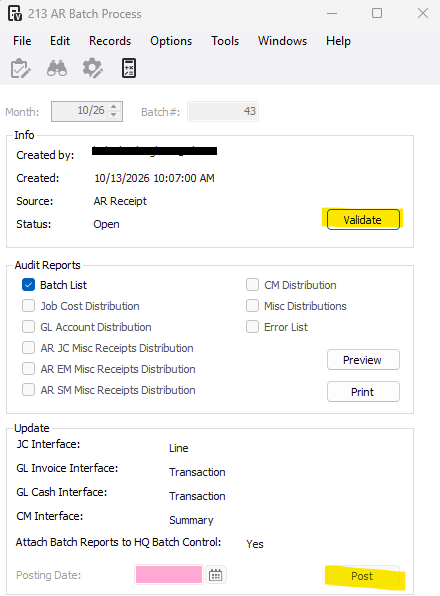
8- Press Validate and Post
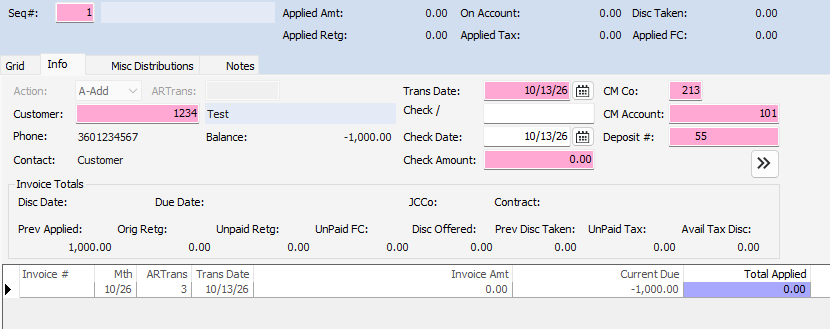
Now next time you have this customer in AR Cash Receipts, you will see a line with no invoice number. This is your on account transaction.
Was this article helpful?
That’s Great!
Thank you for your feedback
Sorry! We couldn't be helpful
Thank you for your feedback
Feedback sent
We appreciate your effort and will try to fix the article