Reviewer Groups can be assigned to specific vendors, GL accounts, jobs, and equipment to help automate the AP invoice review process.
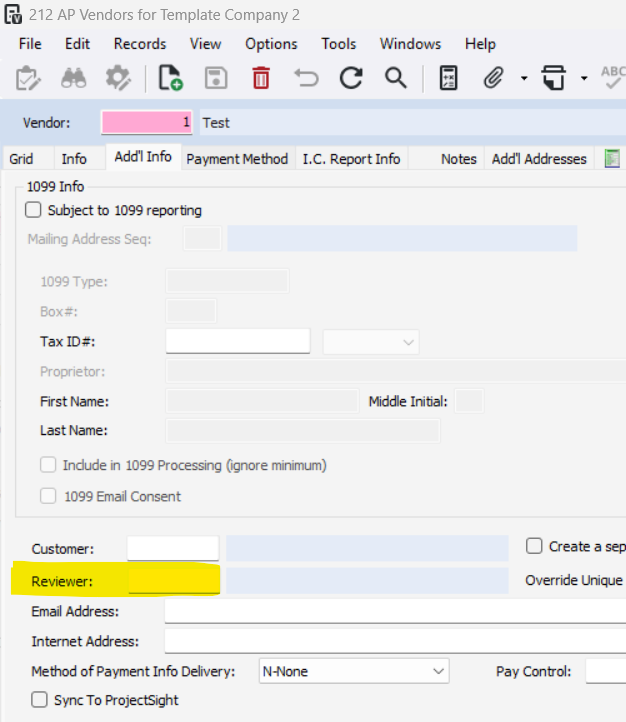
Assigning Reviewer Groups on an AP Vendor:
Accounts Payable>Programs>AP Vendors
Navigate to the vendor and open the Add'l Info tab
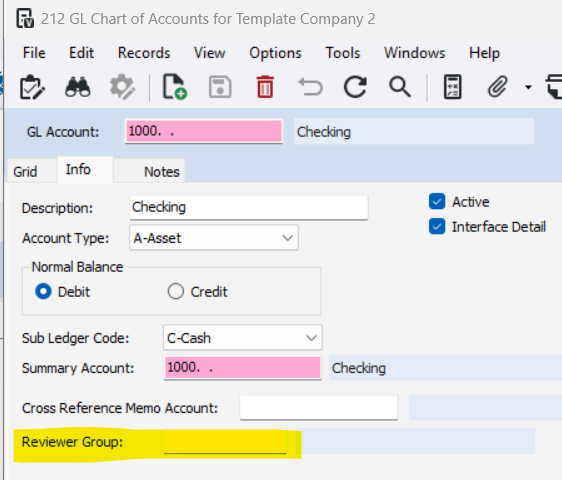
Assigning Reviewer Groups to a GL Account:
General Ledger>Programs>GL Chart of Accounts
Navigate to the GL Account and go to the Info tab
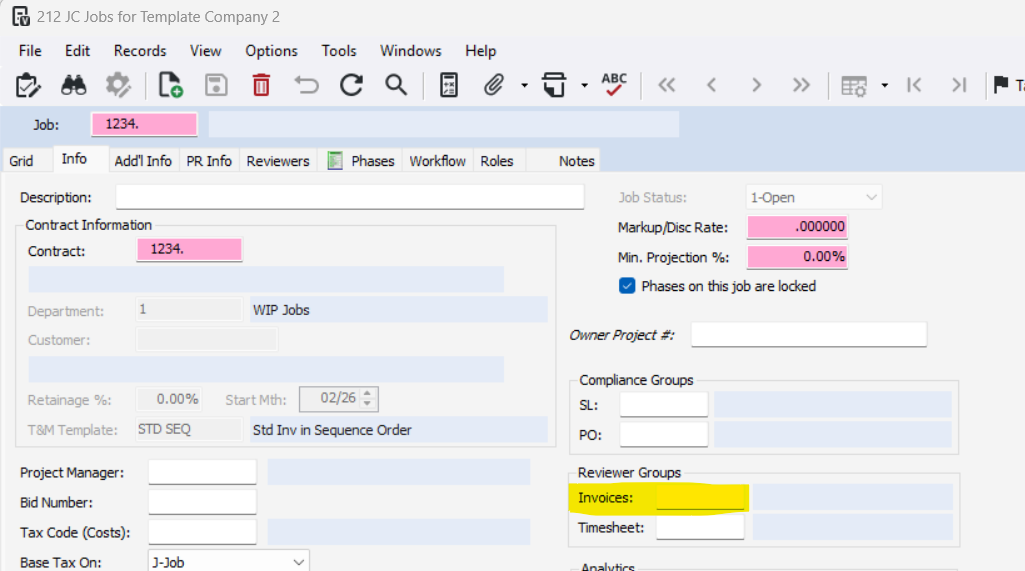
Assigning Reviewer Groups to a Job/Contract:
Job Cost>Programs>JC Jobs
Navigate to the Job and go to the Info tab
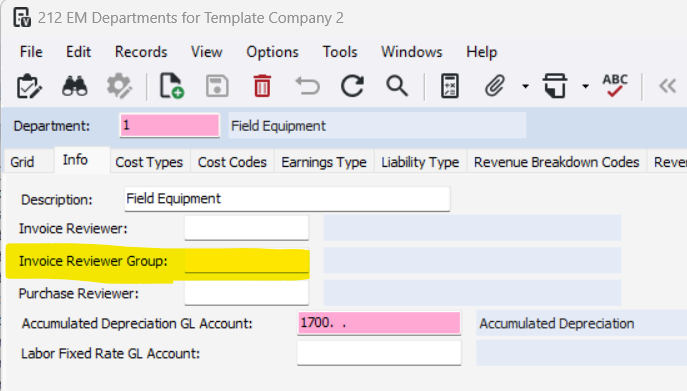
Assigning Reviewer Groups to an Equipment Department:
Equipment Management>Programs>EM Departments
Navigate to the Department and go to the Info tab
Was this article helpful?
That’s Great!
Thank you for your feedback
Sorry! We couldn't be helpful
Thank you for your feedback
Feedback sent
We appreciate your effort and will try to fix the article