To change the font size on the Main Menu:
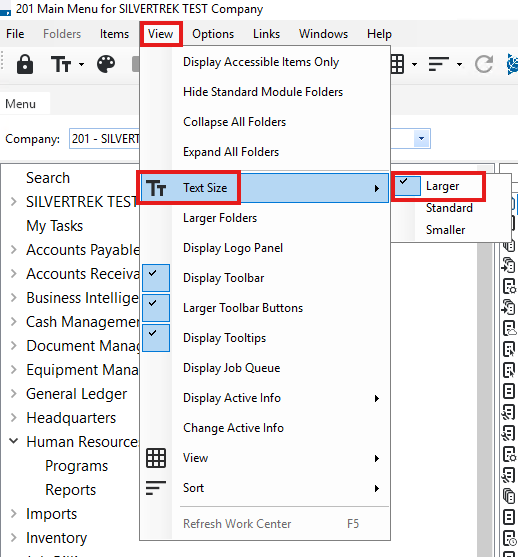
From the Main Menu, navigate to View > Text Size.
Select the desired option:
Larger – 11 pt. font
Standard – 9 pt. font
Smaller – 8 pt. font
Tip: This setting only affects the Main Menu; forms and reports do not currently have adjustable font sizes.
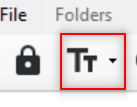
You can also access this setting using the Text Size icon on the Main Menu toolbar.
Note: Larger is the maximum font size available.
Was this article helpful?
That’s Great!
Thank you for your feedback
Sorry! We couldn't be helpful
Thank you for your feedback
Feedback sent
We appreciate your effort and will try to fix the article