SCRIBE PREP WORK:
W2W31.Go into Trello and find the TEMPLATE: YYYY Payroll Year End Processing Board
https://trello.com/b/TYwd9ZPR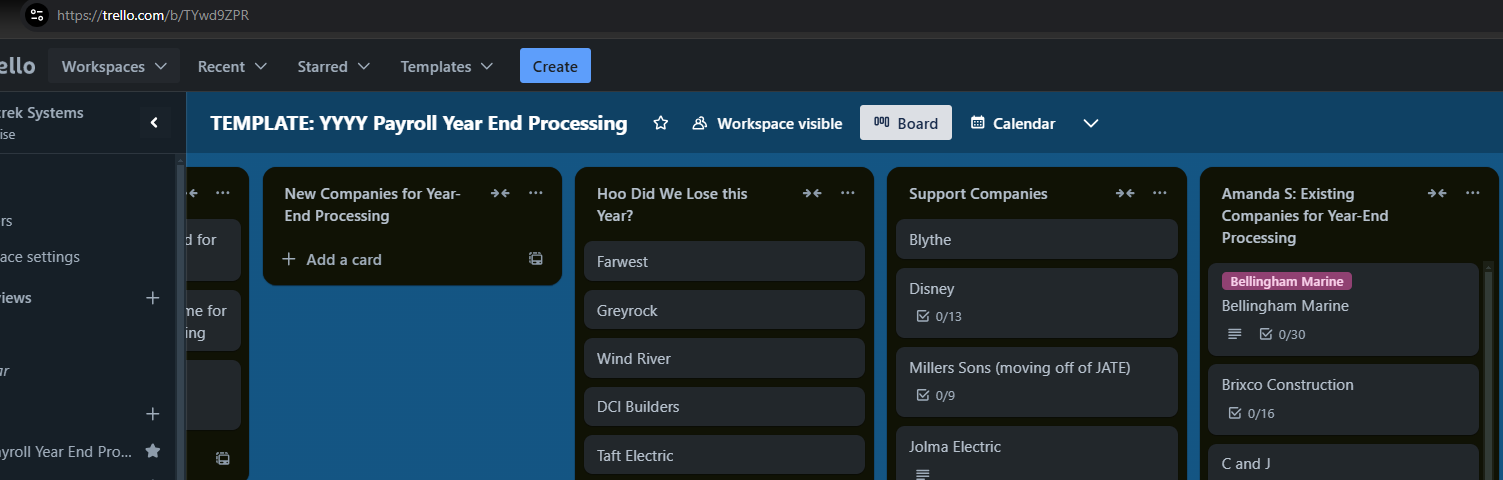
W2W32. Find the Annual W-2 and W-3 Checklist Template Card
https://trello.com/c/A6ht5AAk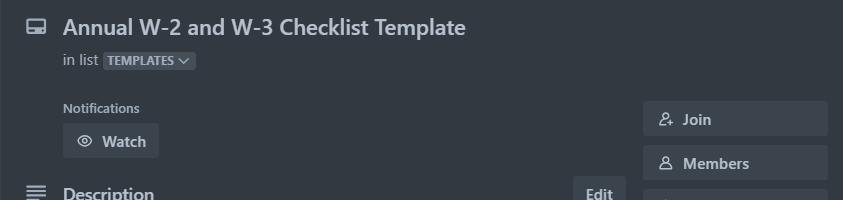
W2W33. Prep your spreadsheet template
Open the Excel Template YYYY Template W2_W3 Recon
Save as and title it the YYYY Customer W2_W3 Recon and save this in the new year end folder
These will usually be found under Government> Federal> Year End> YYYY
If your YYYY isn't there, create the YYYY folder and save your document there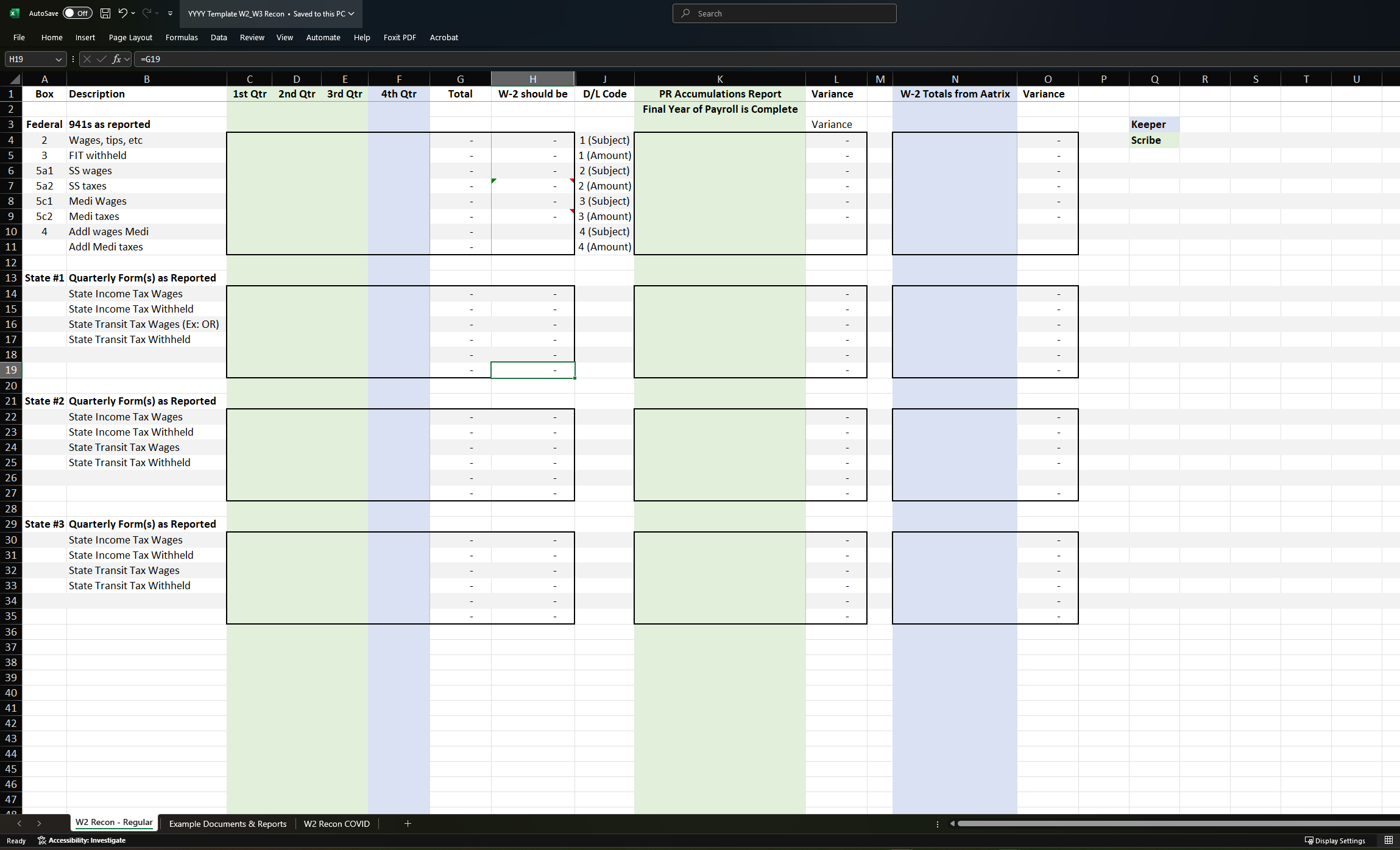
Go into the Scribe Portion for Scribe Prep work in the Green Sections
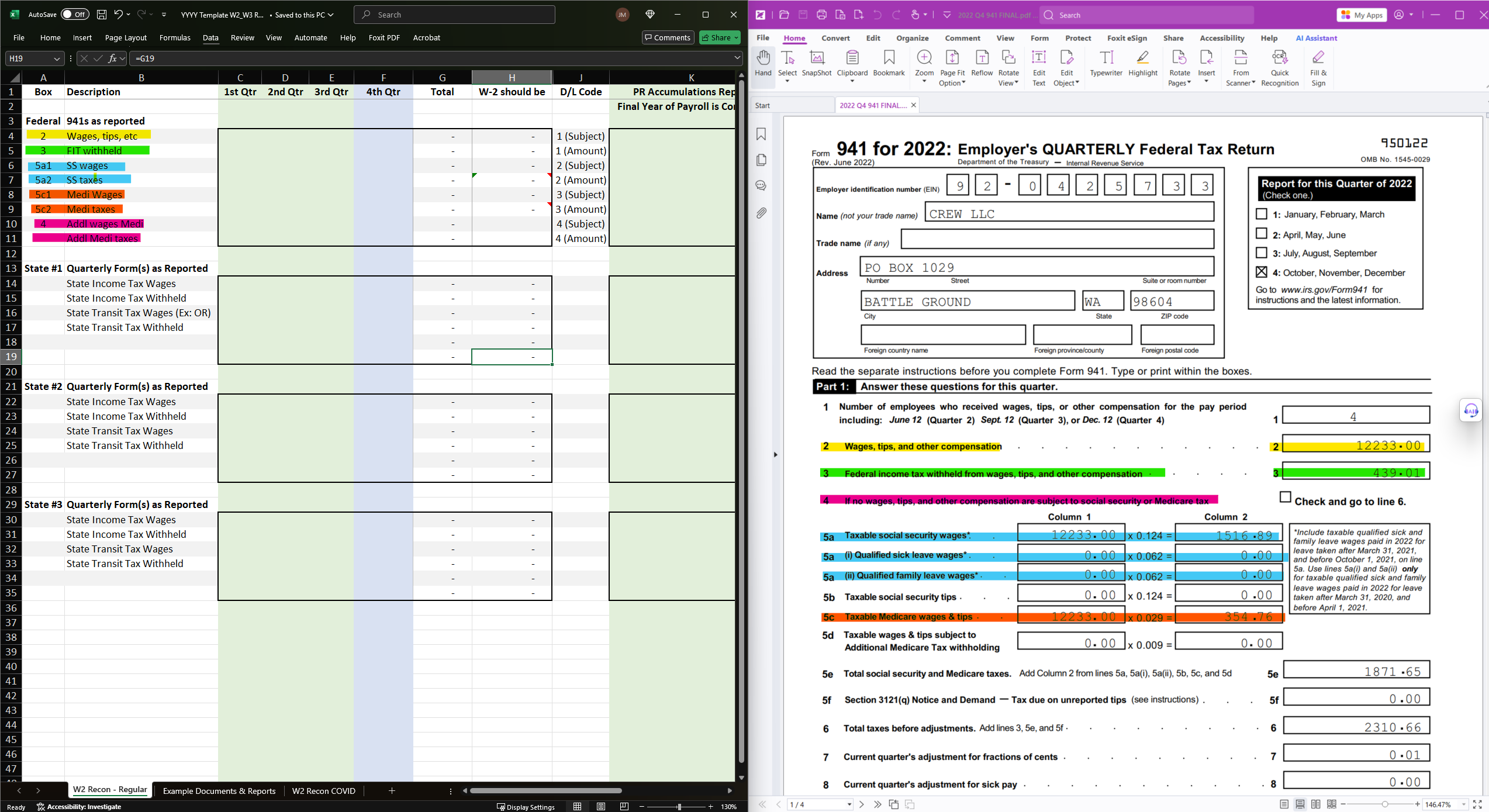
W2W34. Enter data for the 941 Box Portion in the spreadsheet
Check which column in your spreadsheet you are entering your quarter information in and pull your 941 FINAL filing. VERIFY that the quarter checkbox marked is matching the same quarter of the empty column.
These will usually be found under Government> Federal> Year End> YYYY
Verify with Quarter you're inputting dating 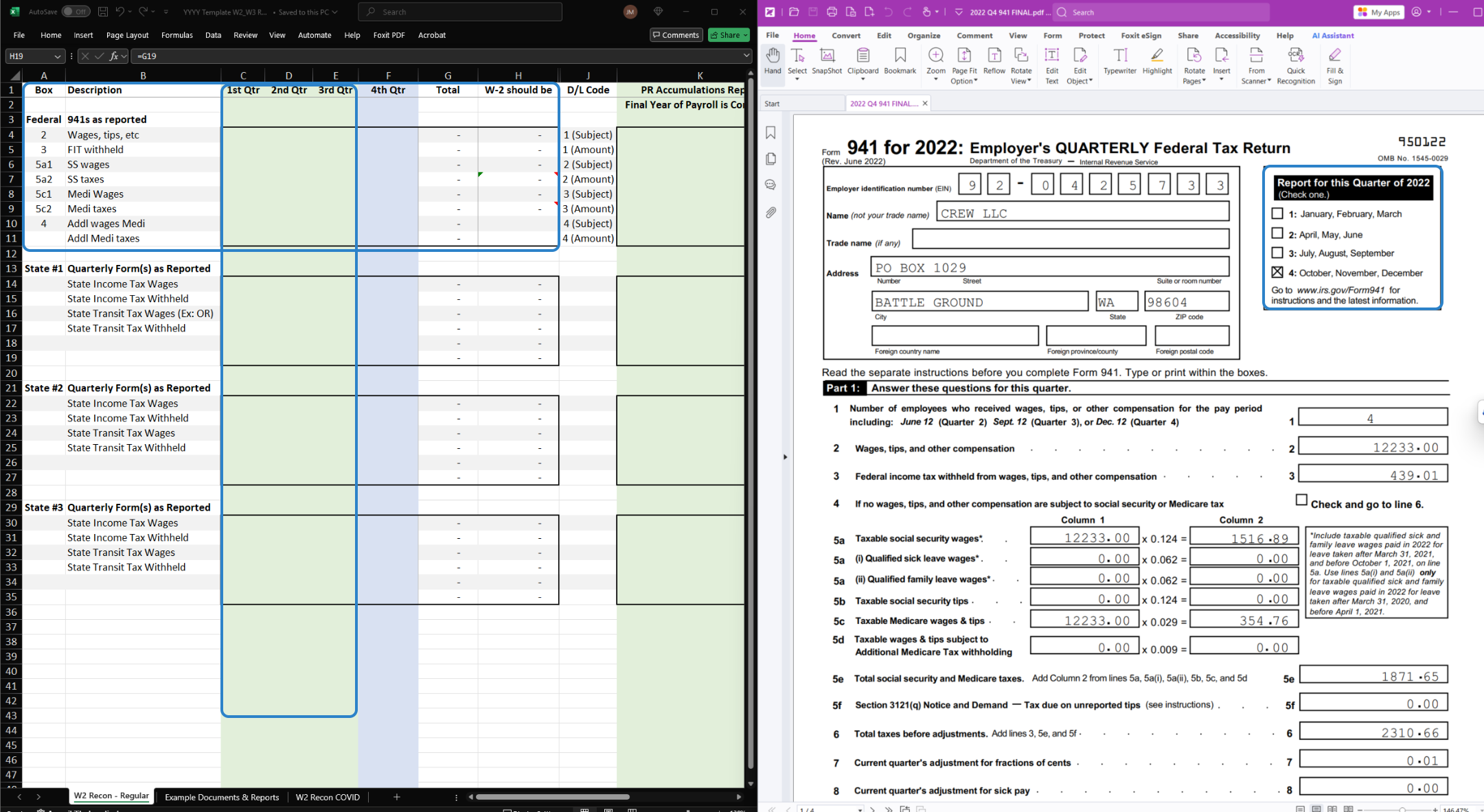
W2W35. Match the number in Part 1 of your 941 and input the data in the correct column and line.
Box 2
Box 3
Box 5a1
Box 5a2
Box 5c1
Box 5c2
Box 4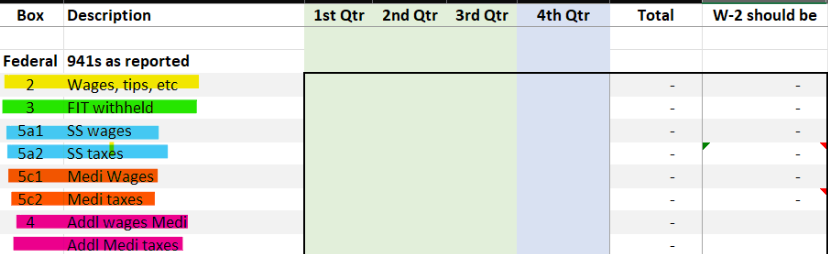
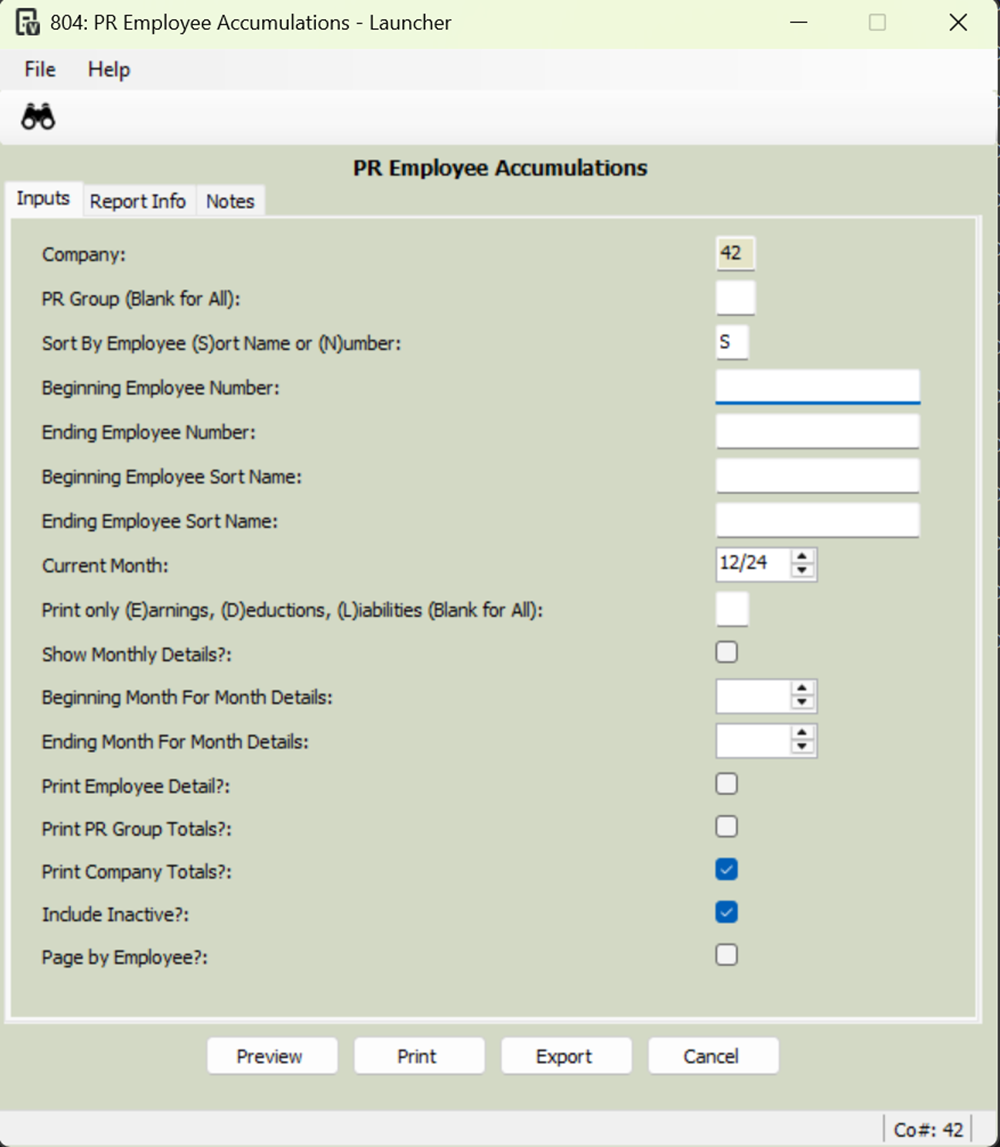
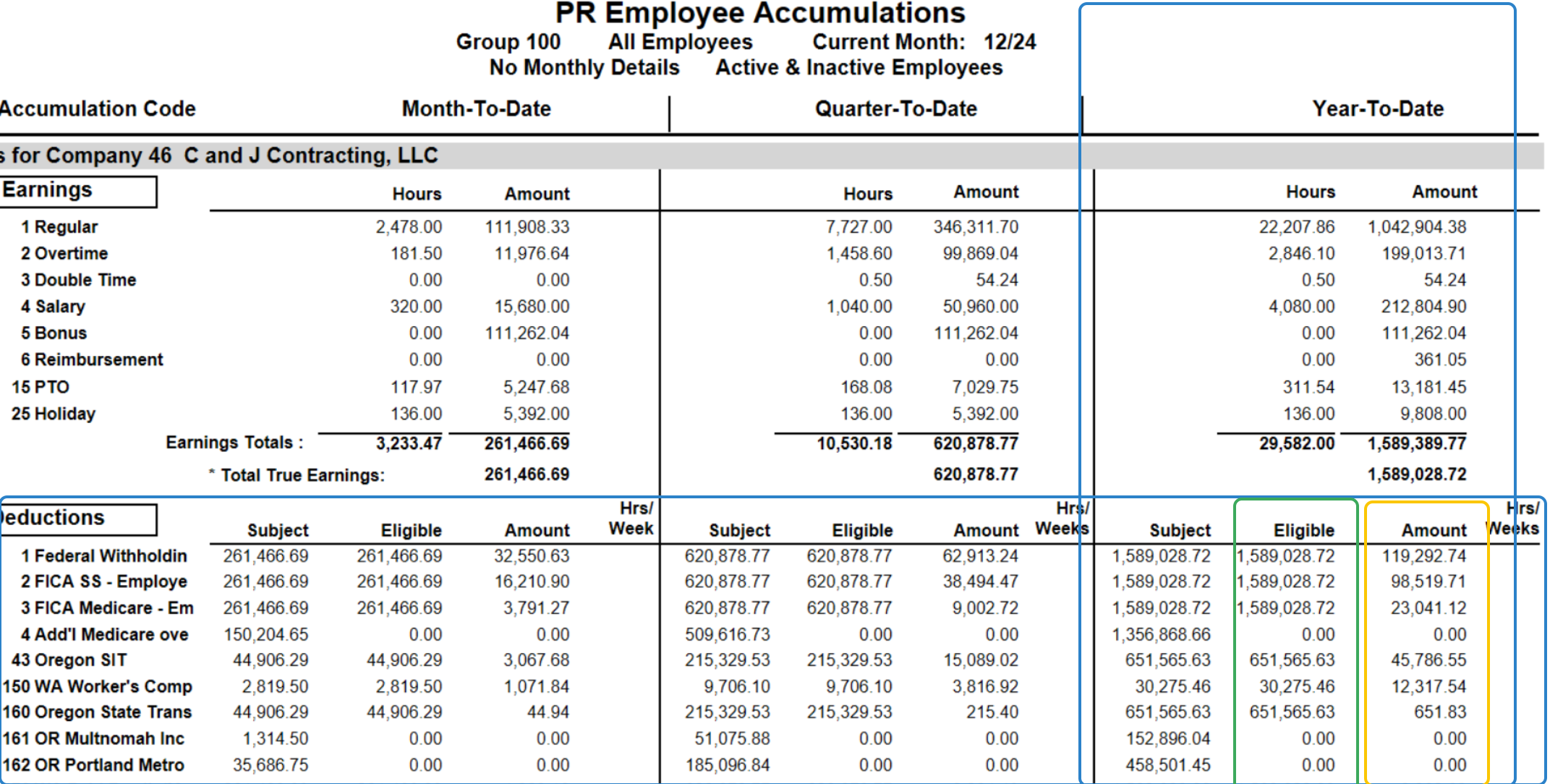
W2W36. Pull PR Employee Accumulations
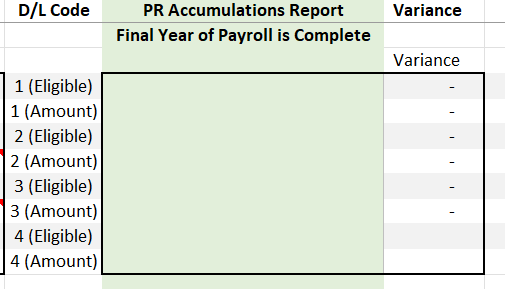
Snippit 1: PR Accumulations Report is where you'll input data
Snippit 2: Payroll>Reports> PR Employee Accumulations and reference snippit to pull report
Snippit 3: Data you'll pull matching deduction code number and columns to put your information into Snippit 1
Snippit 1
Snippit 2
Eligible
Amount
W2W37. State - Only reconciling what will be on W2's
Was this article helpful?
That’s Great!
Thank you for your feedback
Sorry! We couldn't be helpful
Thank you for your feedback
Feedback sent
We appreciate your effort and will try to fix the article