Deleting an SM Cost Type
You can only delete a cost type if no costs are posted to it.
Usually, this is used for unused cost types or those used on very few work orders.
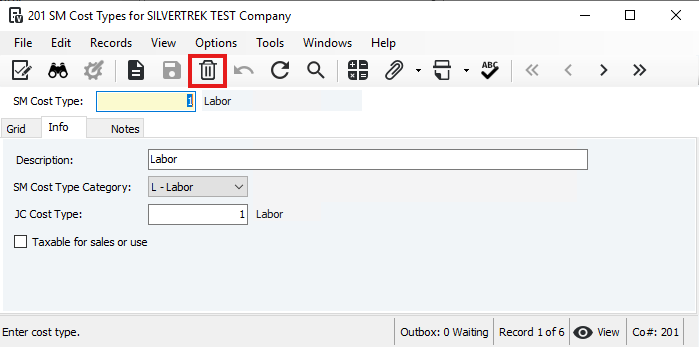
To delete: In SM Cost Types, select the cost type and click Delete.
Deleting a Cost Type with Associated Costs
Release costs:
If the invoice was processed, void the invoice.
If not processed, delete the work completed lines in SM Invoice Review.
Remove references: Delete all work completed lines using this cost type in SM Work Orders.
Delete cost type: In SM Cost Types, select the cost type and click Delete.
Was this article helpful?
That’s Great!
Thank you for your feedback
Sorry! We couldn't be helpful
Thank you for your feedback
Feedback sent
We appreciate your effort and will try to fix the article